Koda
A music and video player for Android, built end to end on Material 3 Expressive. It streams YouTube Music, plays full YouTube video and live streams with picture-in-picture, downloads either for offline, and does all of it without a Google account if you would rather not sign in.
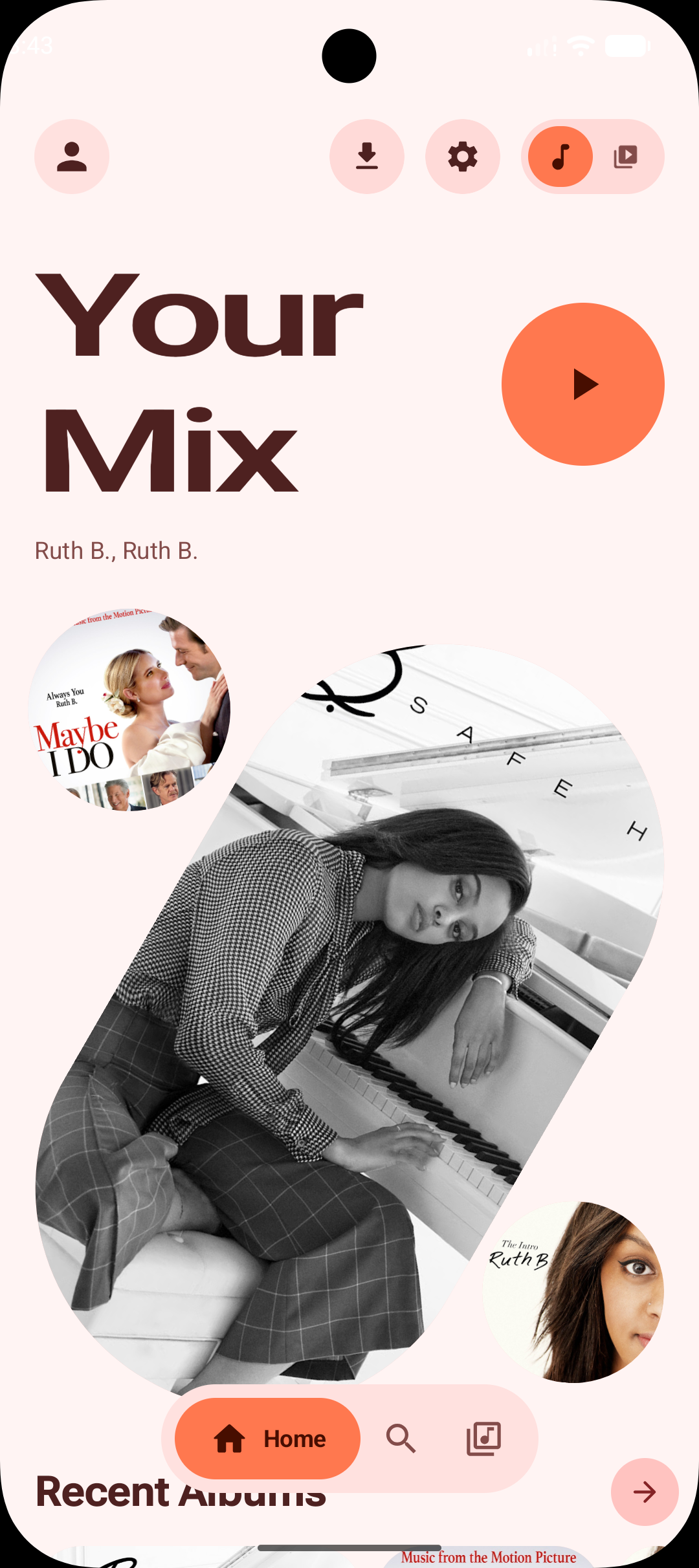
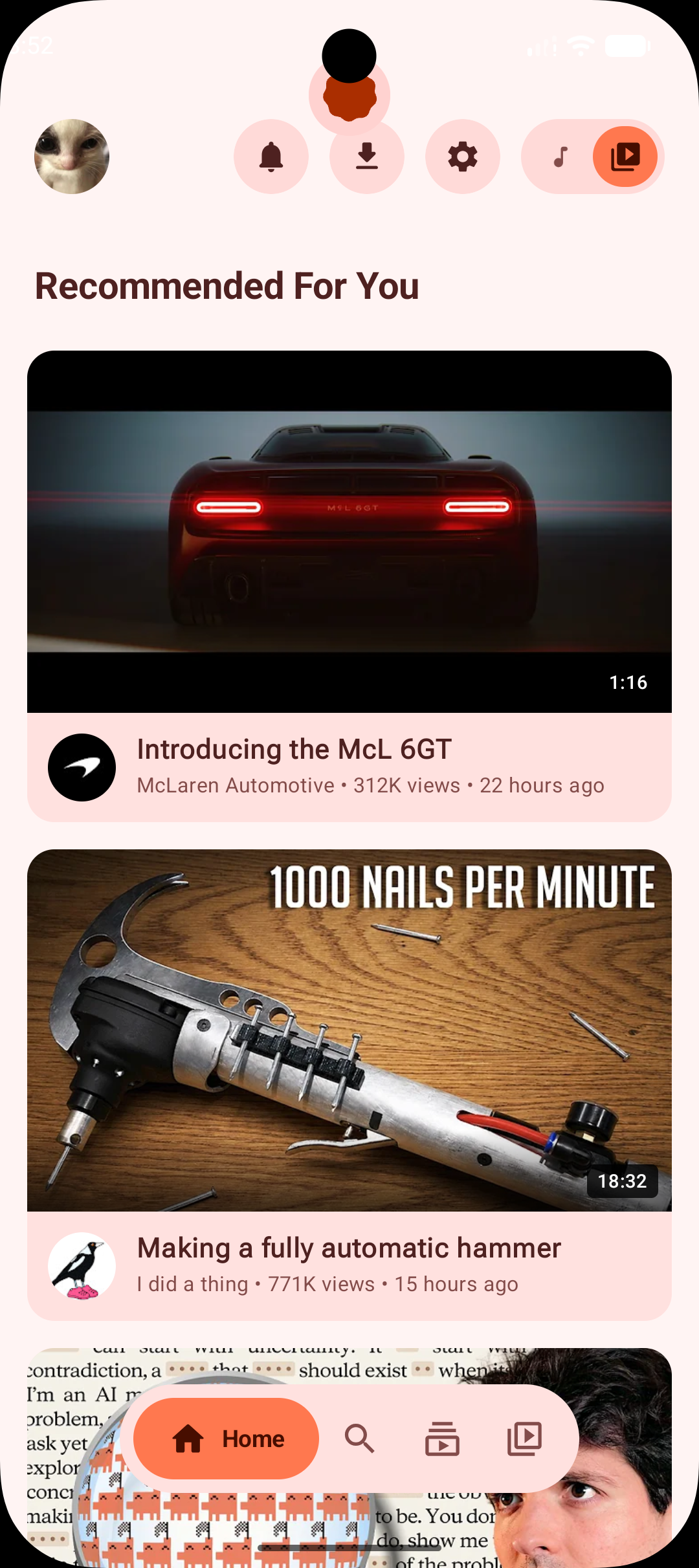
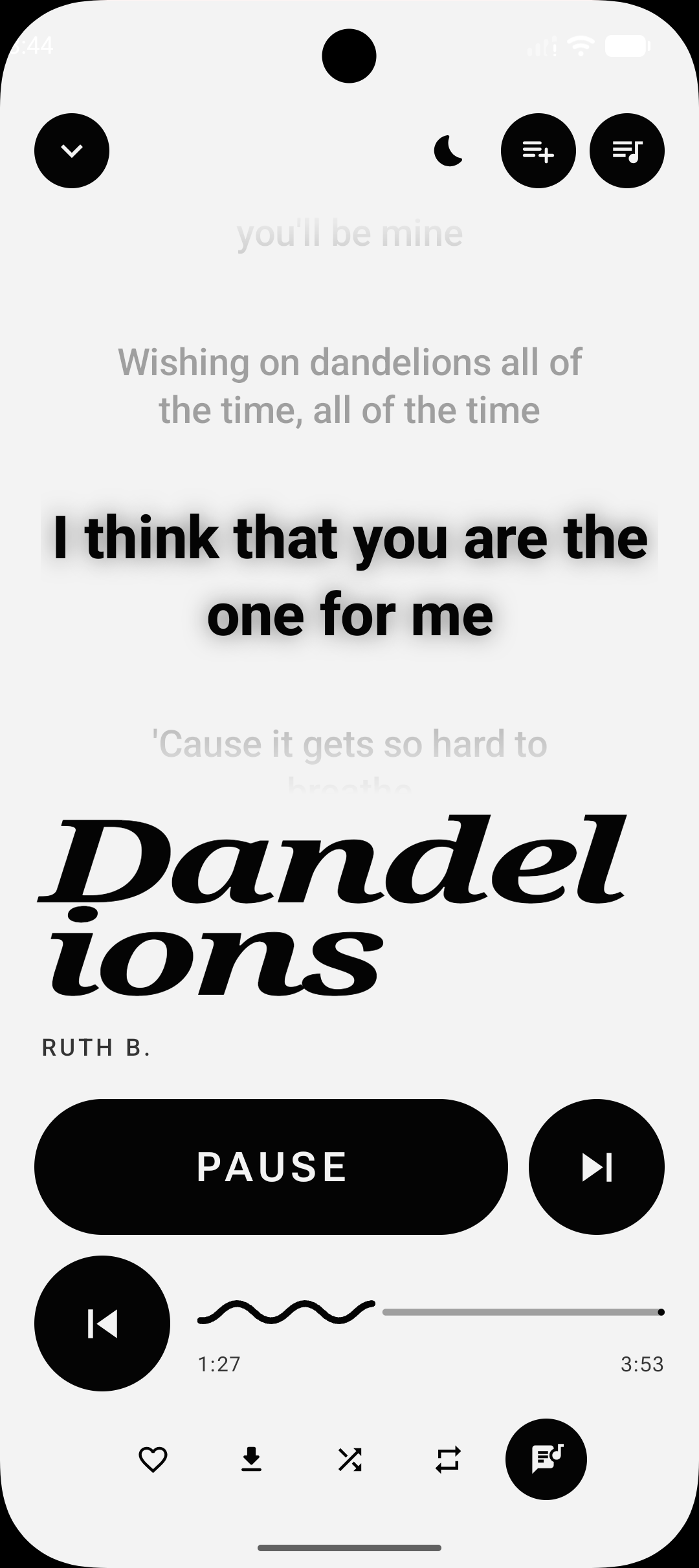
Captured on a Pixel 8 in light theme with wallpaper-based dynamic color. Every palette, AMOLED and dark mode change what these look like. Tap any shot for the full-size capture.
MusicWorks signed out
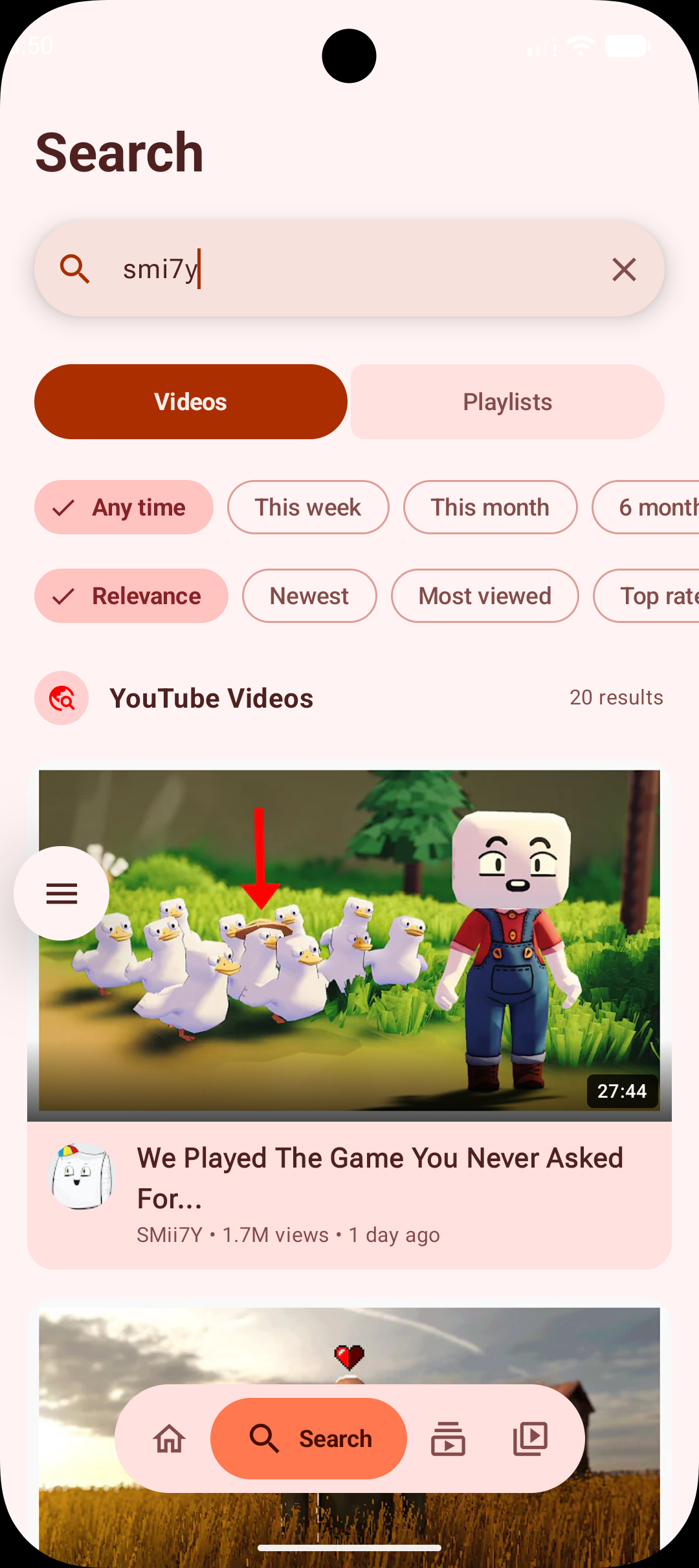
Songs, albums, artists and playlists grouped into tabs, paging in as you scroll. Search history is kept on the device, and there are no API keys to manage.
A taste profile built on the device from your play history, liked songs and recent searches drives quick picks and recommendations. Sign in and your real YouTube Music home feed blends into it rather than replacing it.
Liked Songs, artist and album pages, and start-radio from any track for an endless related queue. Local playlists can be created, renamed, reordered and given a cover; reordering a YouTube Music playlist writes back to your account.
Word-timed wherever a provider has real timings, so the highlight travels through the line instead of jumping between them, falling back to line-timed and then to plain text. Local songs prefer the lyrics stored with the music — a matching .lrc or .ttml file, or an embedded tag — which keeps them working offline and in Local Only mode.
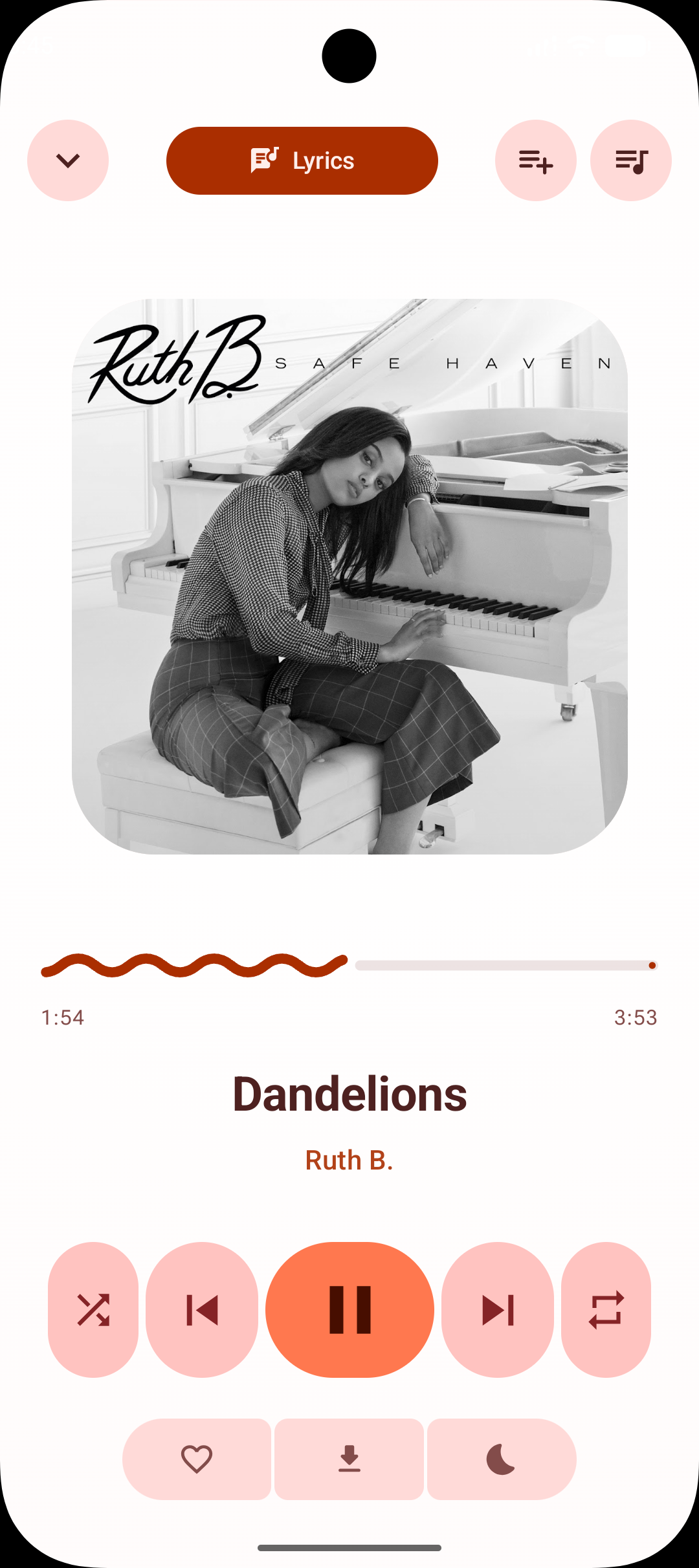
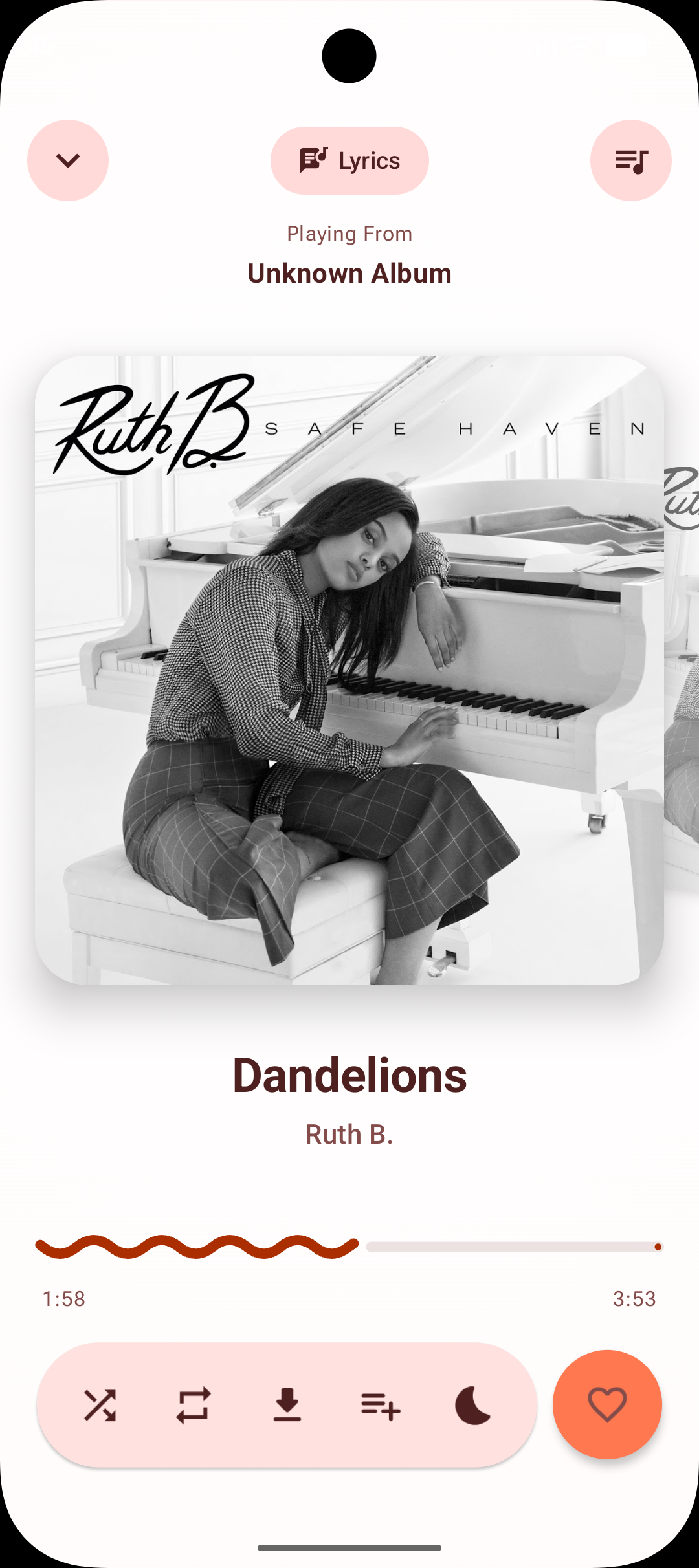
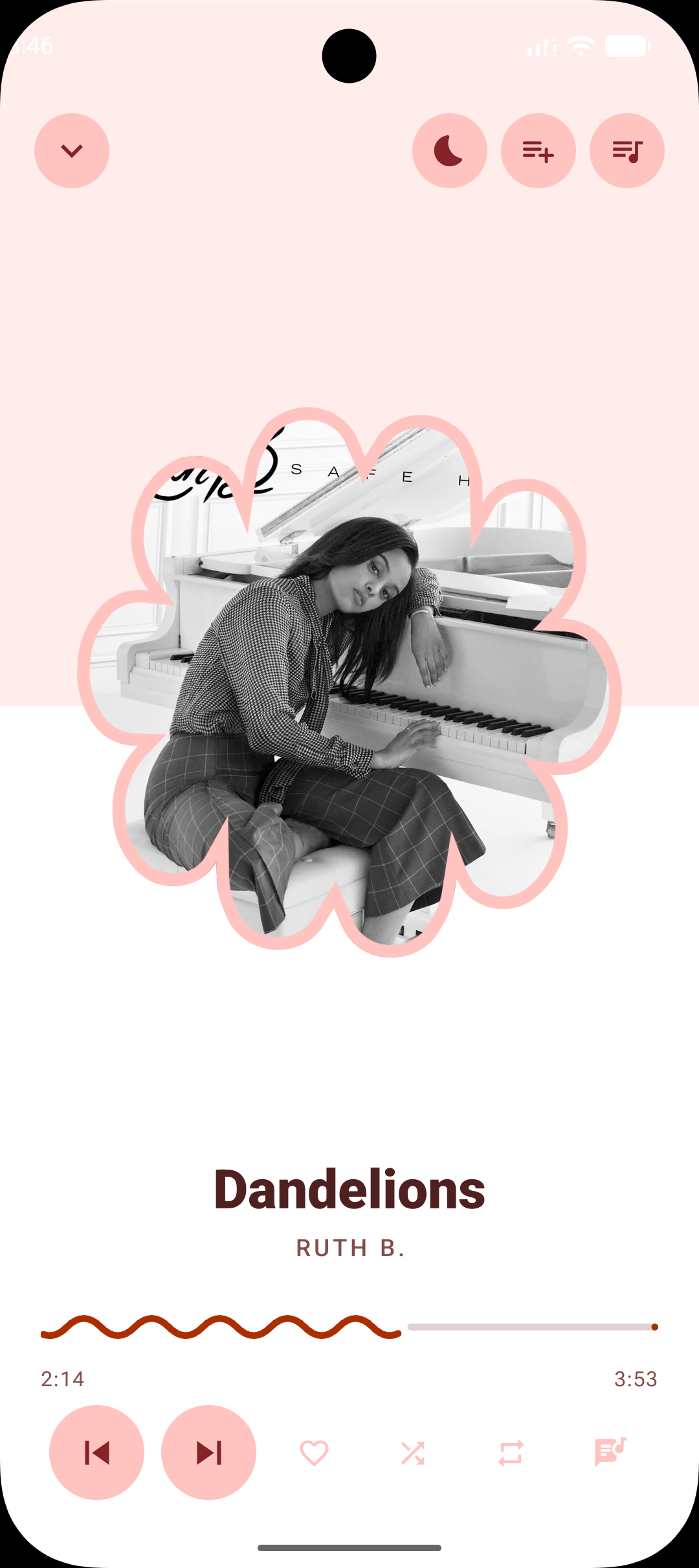
Available in all eight player styles, each in its own idiom. It lives with playback rather than the screen, so leaving the app does not cancel it. Fades out over five seconds instead of cutting the audio dead, and can also stop at the end of the current track.
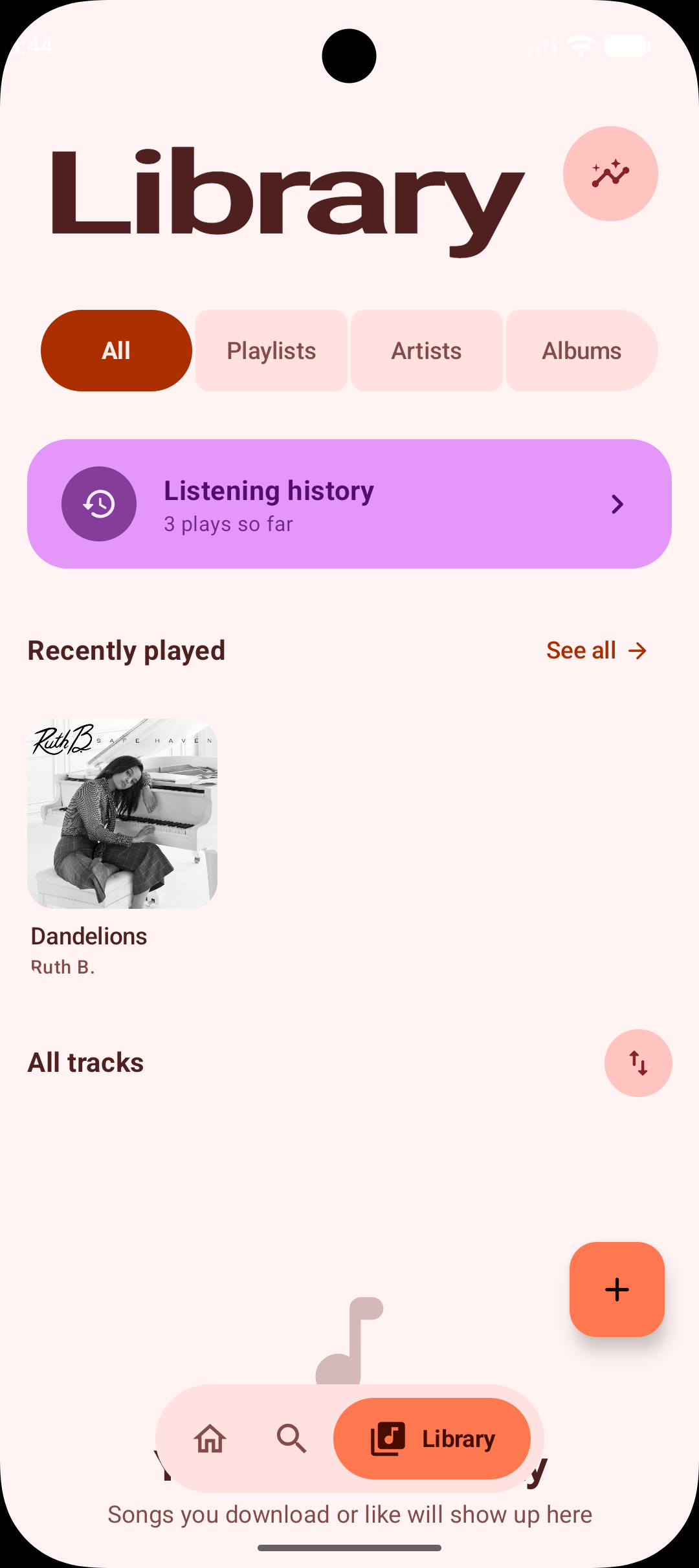
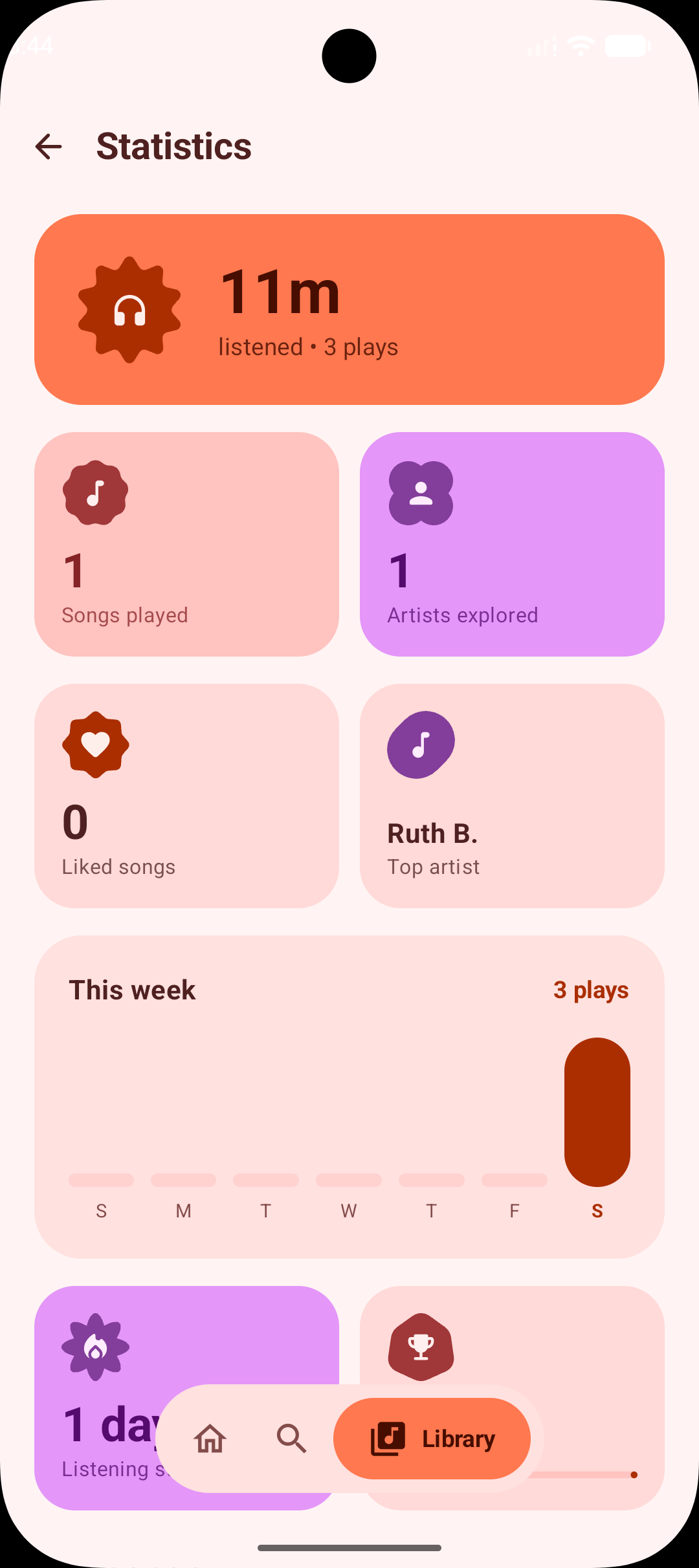
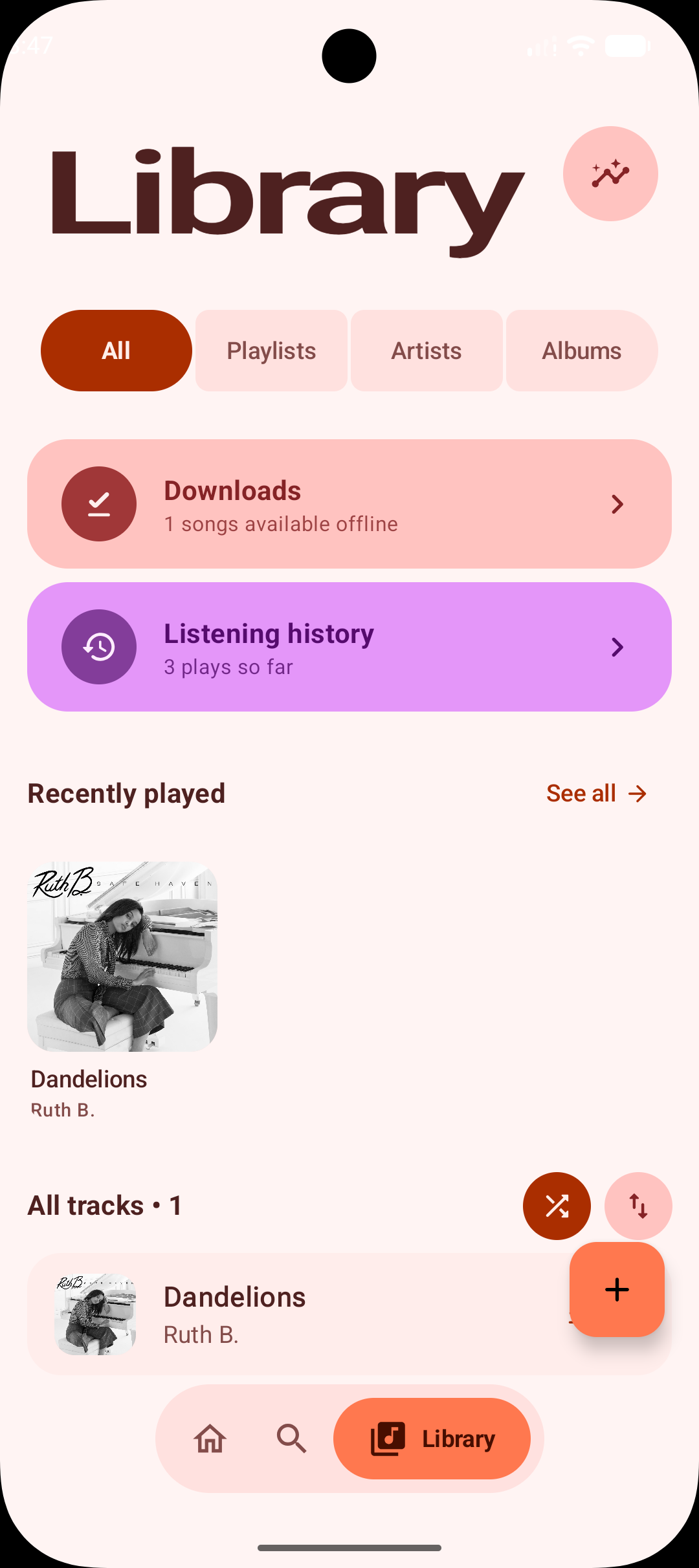
Top songs and artists, daily, weekly and monthly play charts, a listening streak, and a library sort that persists and shows what it sorted on — 12 plays, 3d ago — so the order never reads as arbitrary.
Plays files already on the device, with per-folder exclusion and a high-compatibility scan mode for devices where MediaStore misses things.
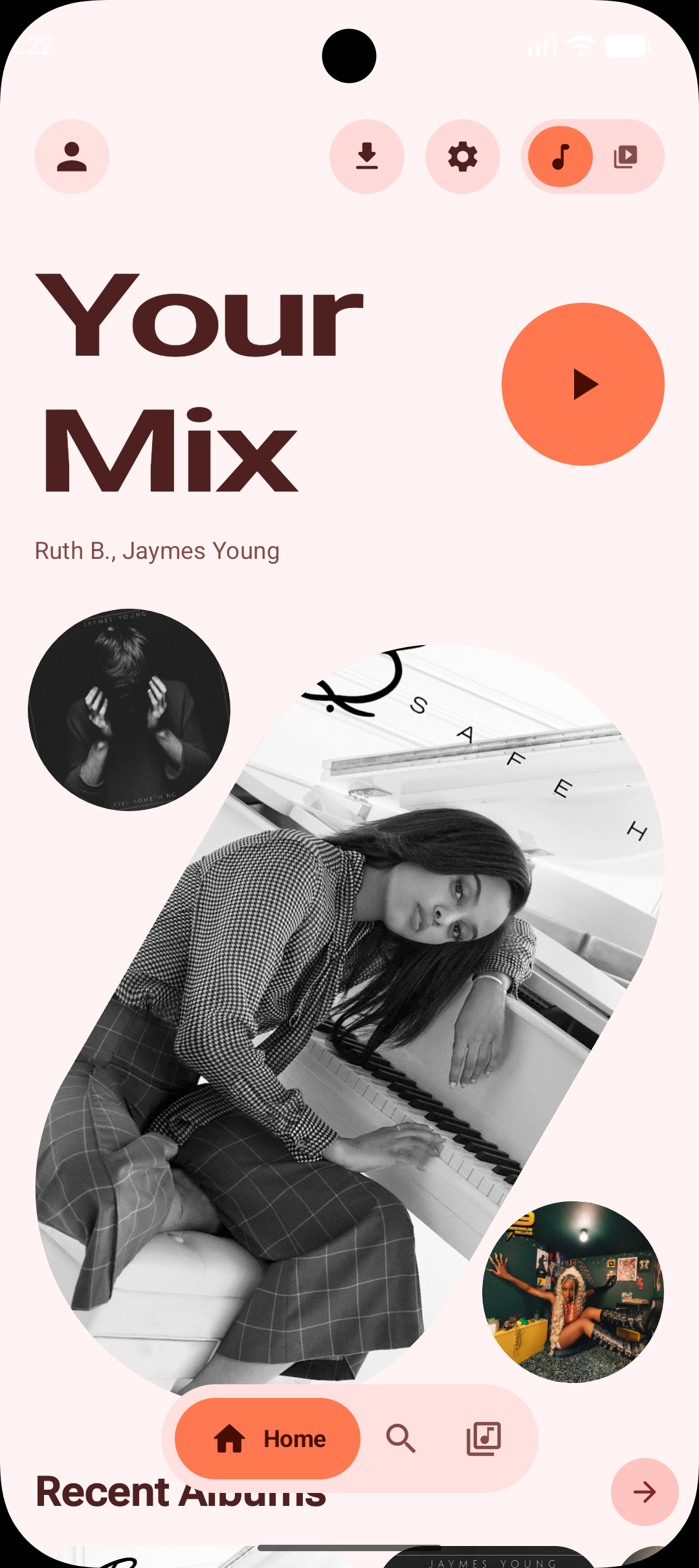
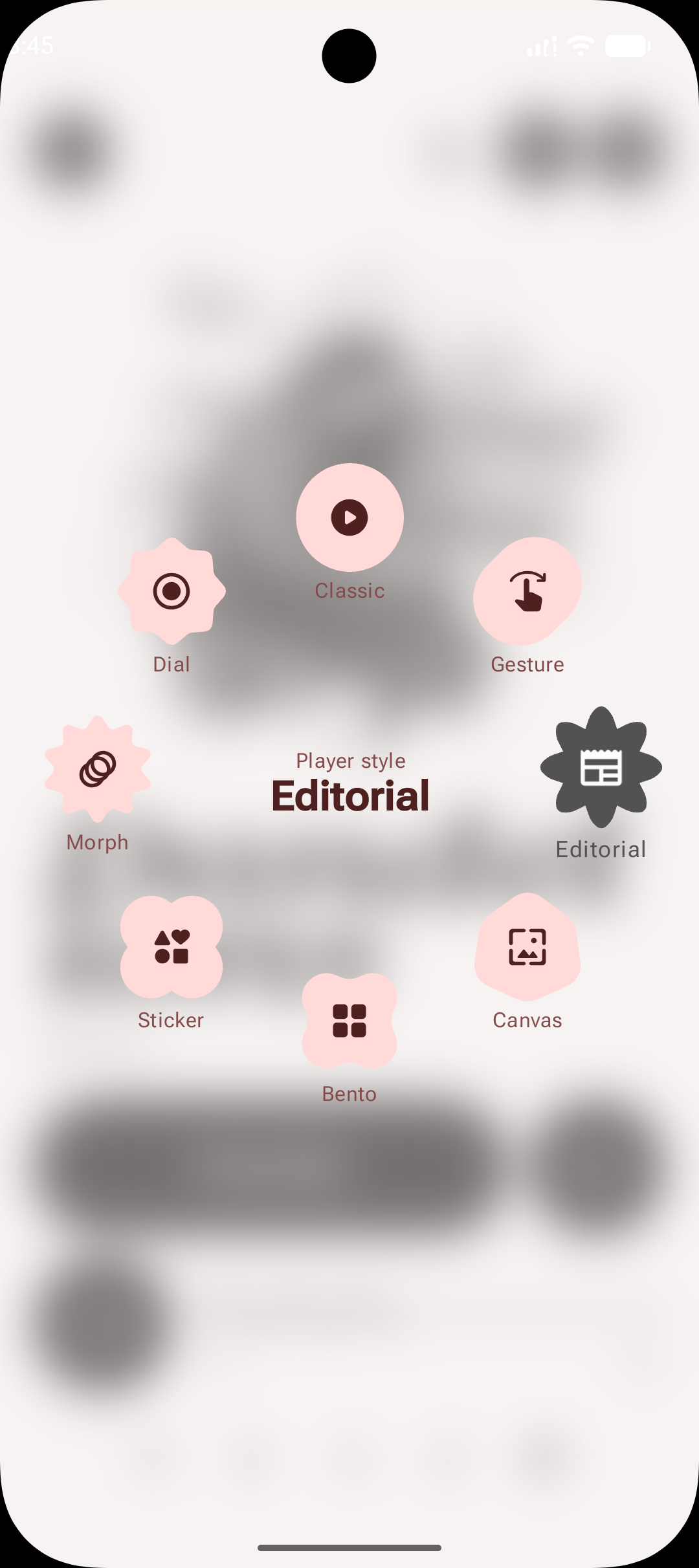
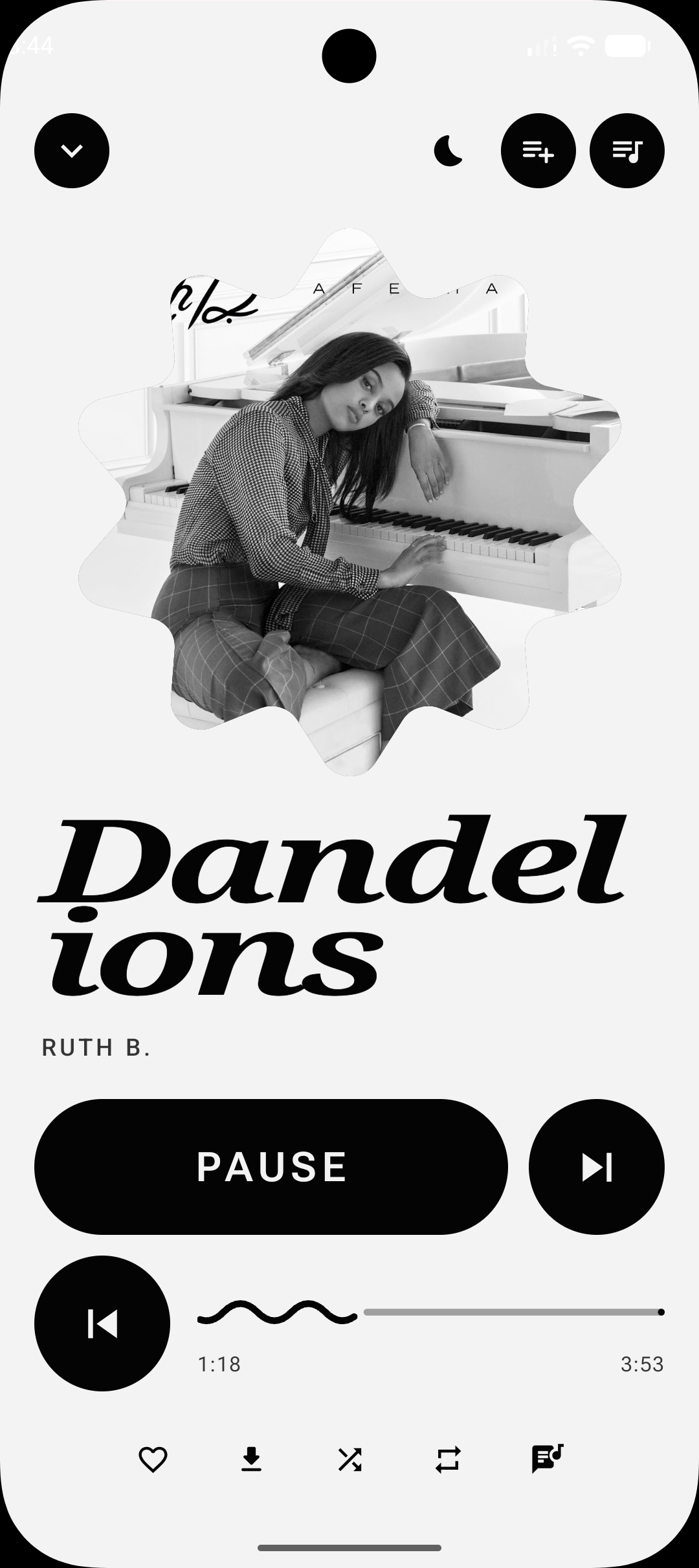
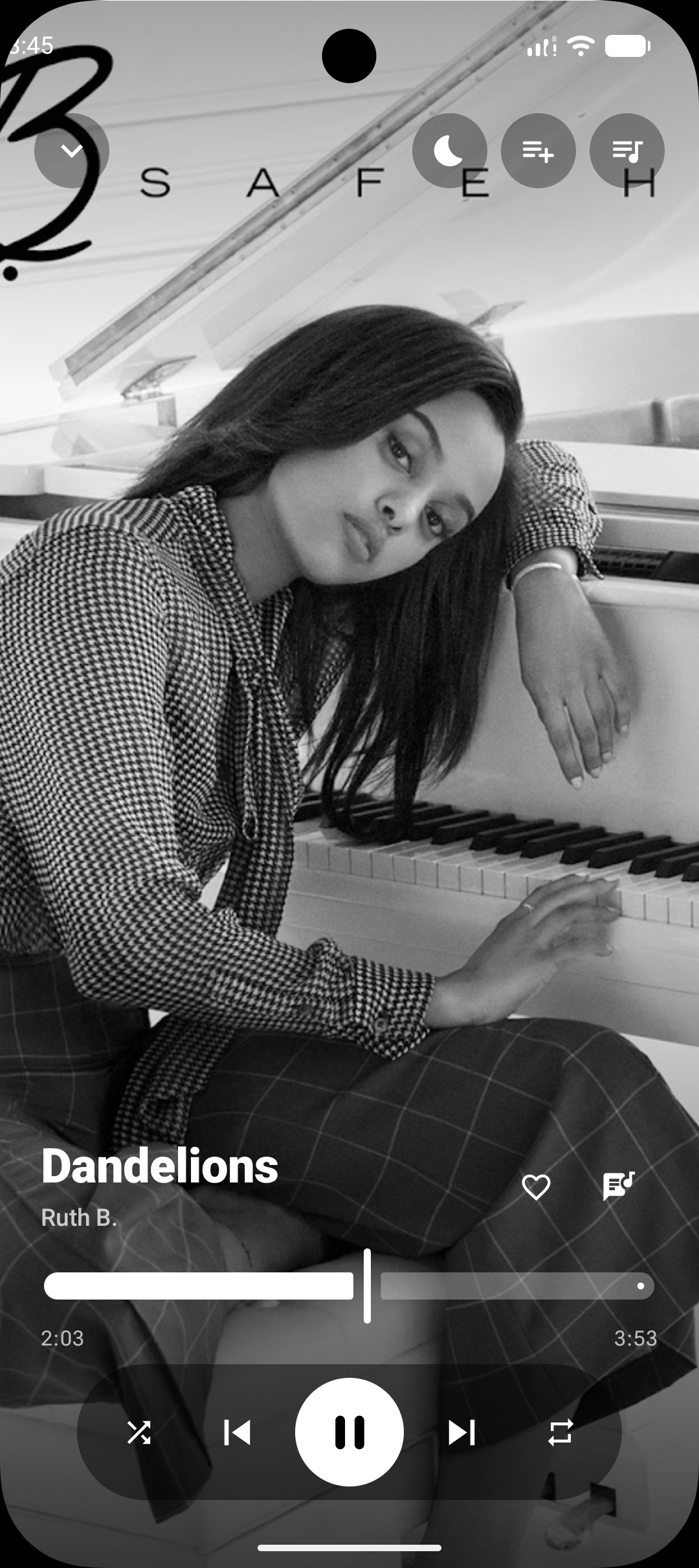
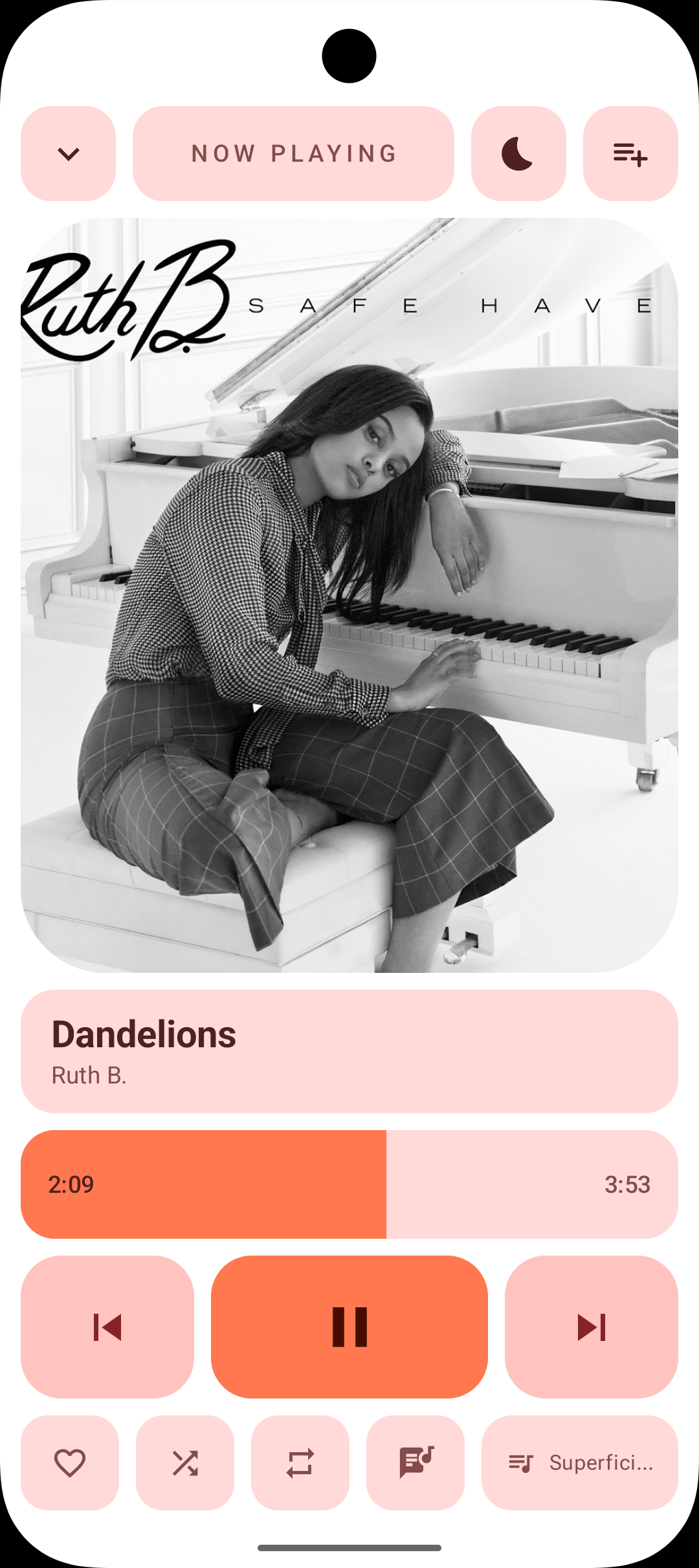
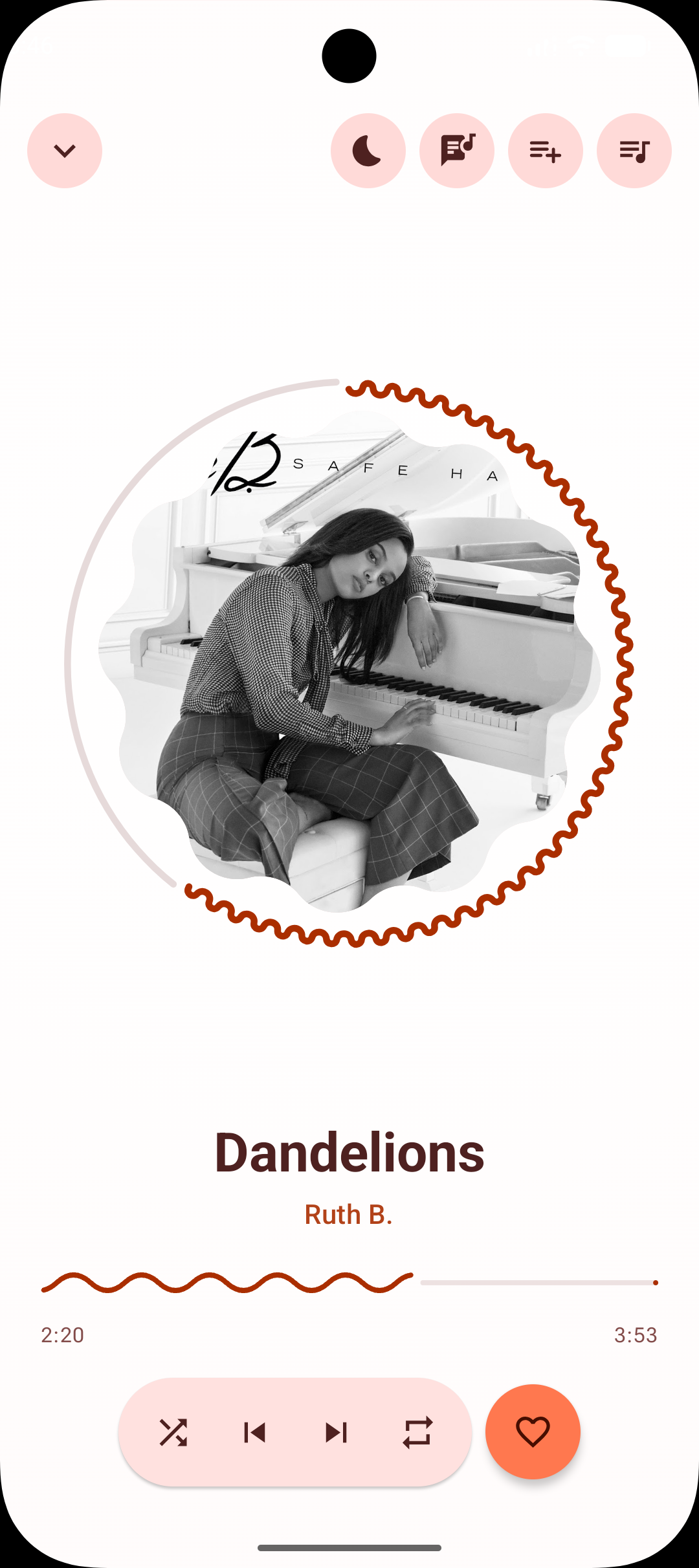
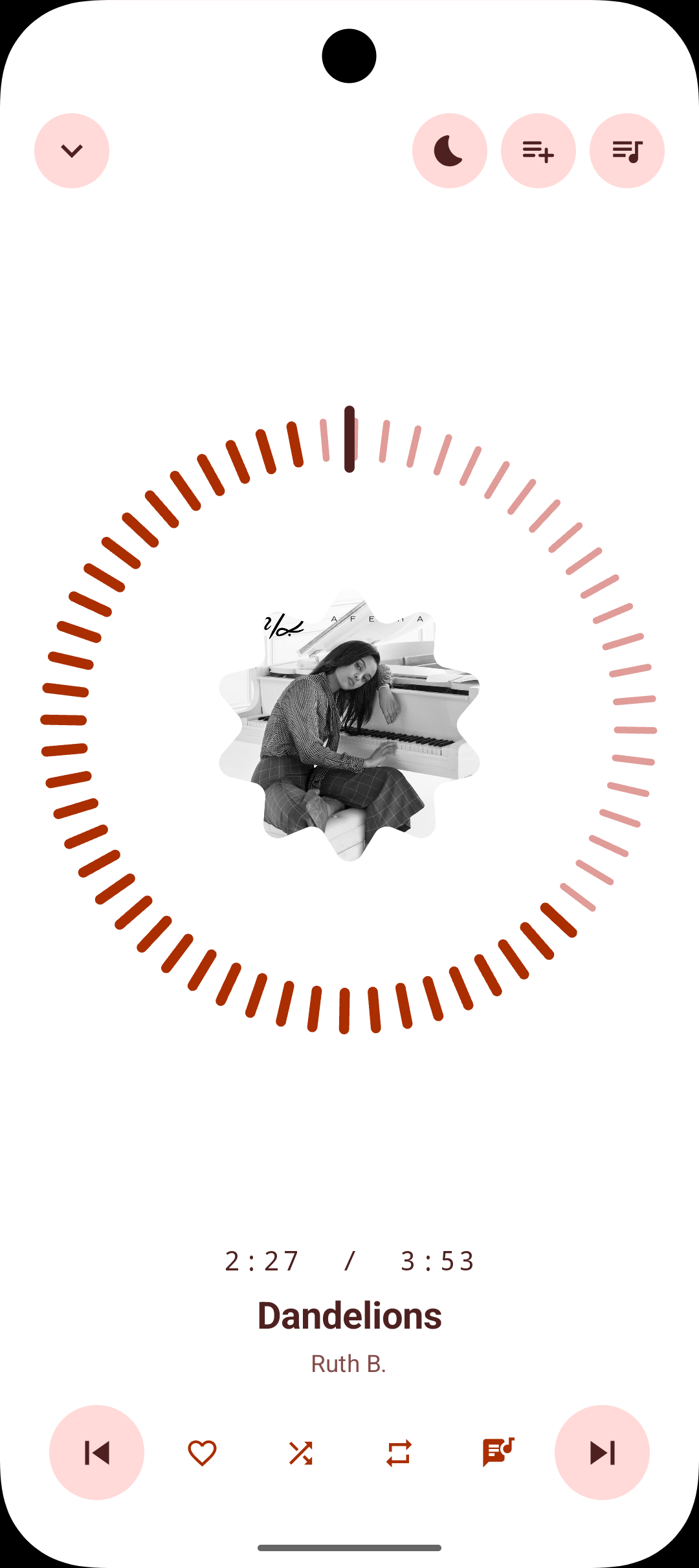
Eight player stylesSwitchable from a style wheel
The familiar layout: play, pause, next, previous.
A swipeable carousel you flick between tracks.
A magazine layout with die-cut art and a word-pill transport.
Album art as the whole screen, chrome fading away while playing, and swipe-to-skip that follows your finger.
A squish grid of flat tonal tiles with press physics.
A die-cut sticker with drag, peel, and squash-and-stretch.
A living hero shape that cycles organic cuts while playing.
A tick-ring instrument you spin to scrub.
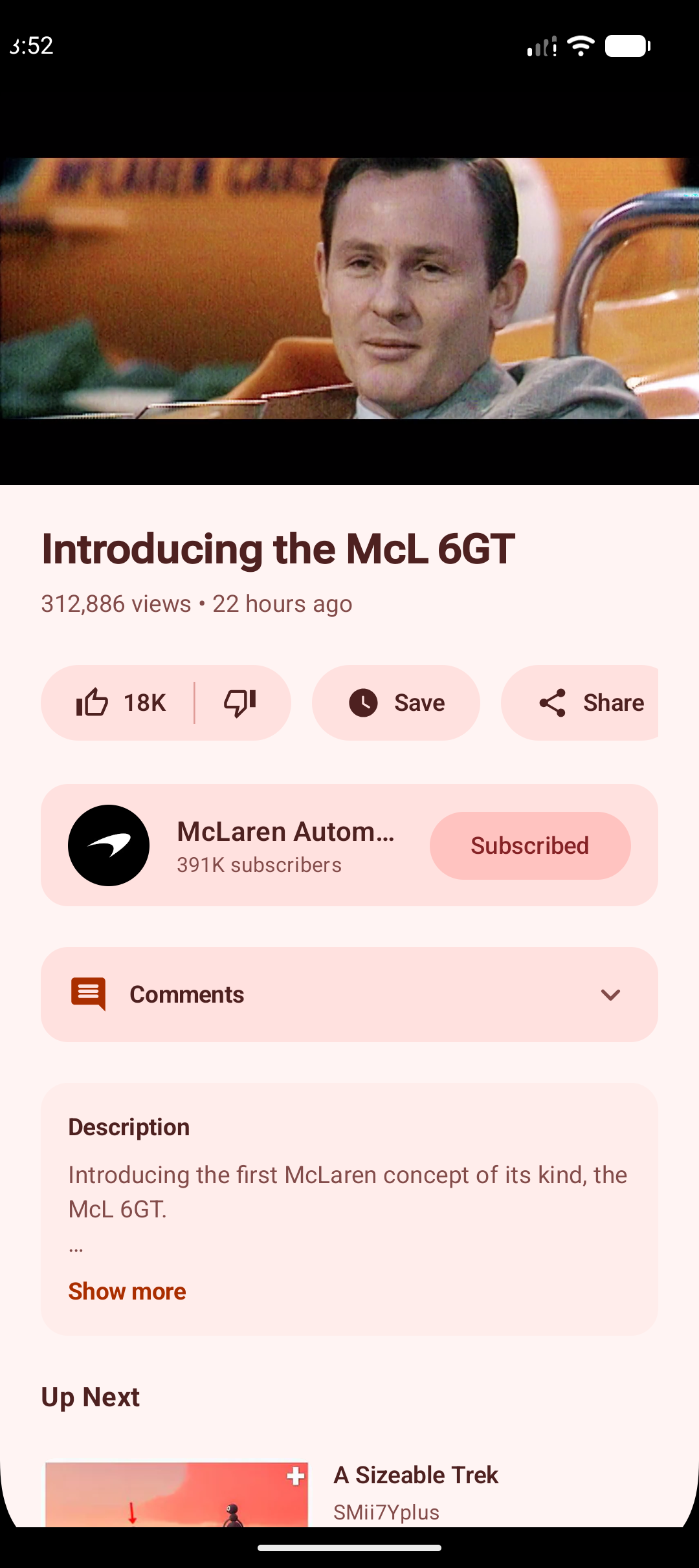
VideoFull YouTube, not just music videos
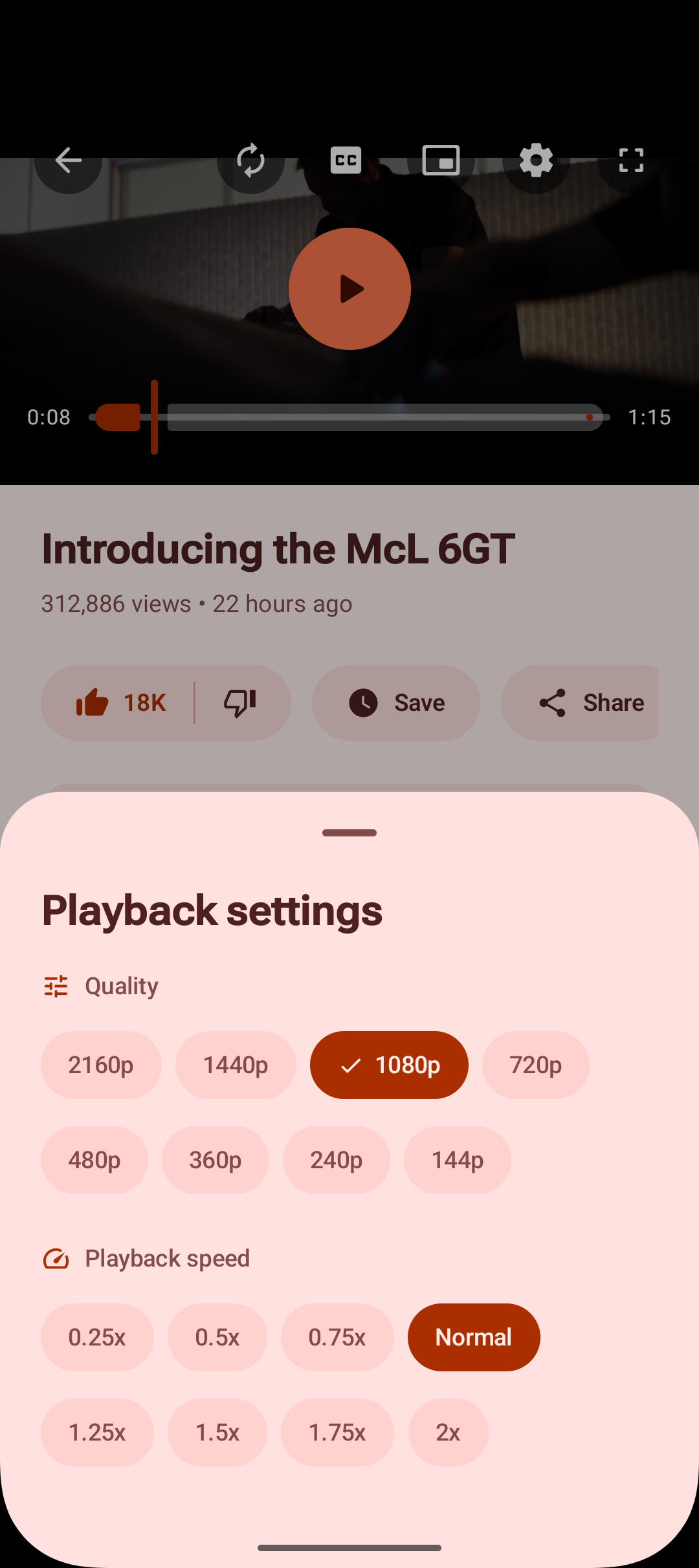
The full quality ladder up to 2160p60 with a separate audio track, so it never gets stuck on a low muxed stream. Quality changes keep the original soundtrack instead of switching to a dubbed one.
Chapters as seek-bar ticks, a current-chapter chip and a sheet. Captions are drawn as an overlay, so toggling them costs nothing and they survive a quality switch — signed out included. Their size adjusts continuously, the text can be white or yellow over no background, a soft one or a solid one, and the choice carries into fullscreen, vertical live and picture-in-picture.
Double-tap either side to skip, hold for 2x, swipe up for fullscreen and down the middle to come back, pull the page down to minimize. Drag the left and right edges for brightness and volume, one lit slat per real system volume notch so the haptic tick and the light are the same event. Everything else — quality, speed, captions, autoplay, loop, downloads — sits in a scroll-safe Playback panel rather than crowding the video.
Dragging the seek bar shows the storyboard frames for that moment, cropped correctly and held to a bounded amount of memory. A downloaded video builds its own previews from local frames when there is no network storyboard to fetch, and seeking around chapters and buffered regions lands where you meant it to.
Captures just the video rather than the whole app, with play, pause and 10-second skip in the window. Video also appears in the system media controls: lock screen, shade, output switcher, and headset and Bluetooth buttons.
Banner, about text and every tab the creator actually publishes — Videos, Shorts, Live, Playlists, Posts, Releases — because the tabs come from the channel rather than a fixed list. Sort uploads by latest, popular or oldest and search a whole back catalogue.
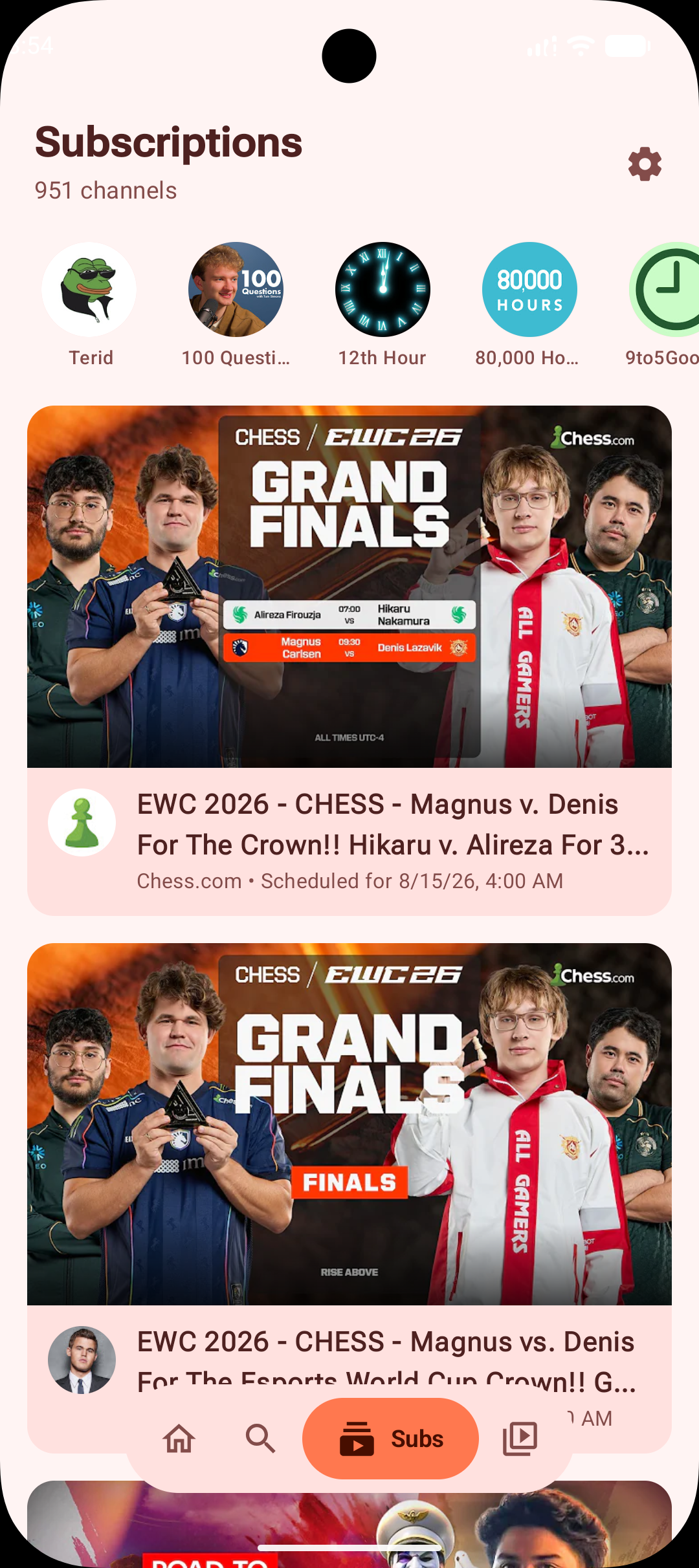
Follow channels saved to the device, to your YouTube account, or both, with the feeds merged and filterable into channel groups. Channels are ordered by their most recent uploads, with upload-age and date-order controls for the ones you pick, and what loaded last time appears immediately while the refresh runs behind it.
From NewPipe, PipePipe or Tubular — either their subscriptions file or a whole backup zip — or a Google Takeout CSV or OPML. The format is detected for you, channels that cannot be played are reported rather than dropped, and export writes NewPipe's format so it round-trips.
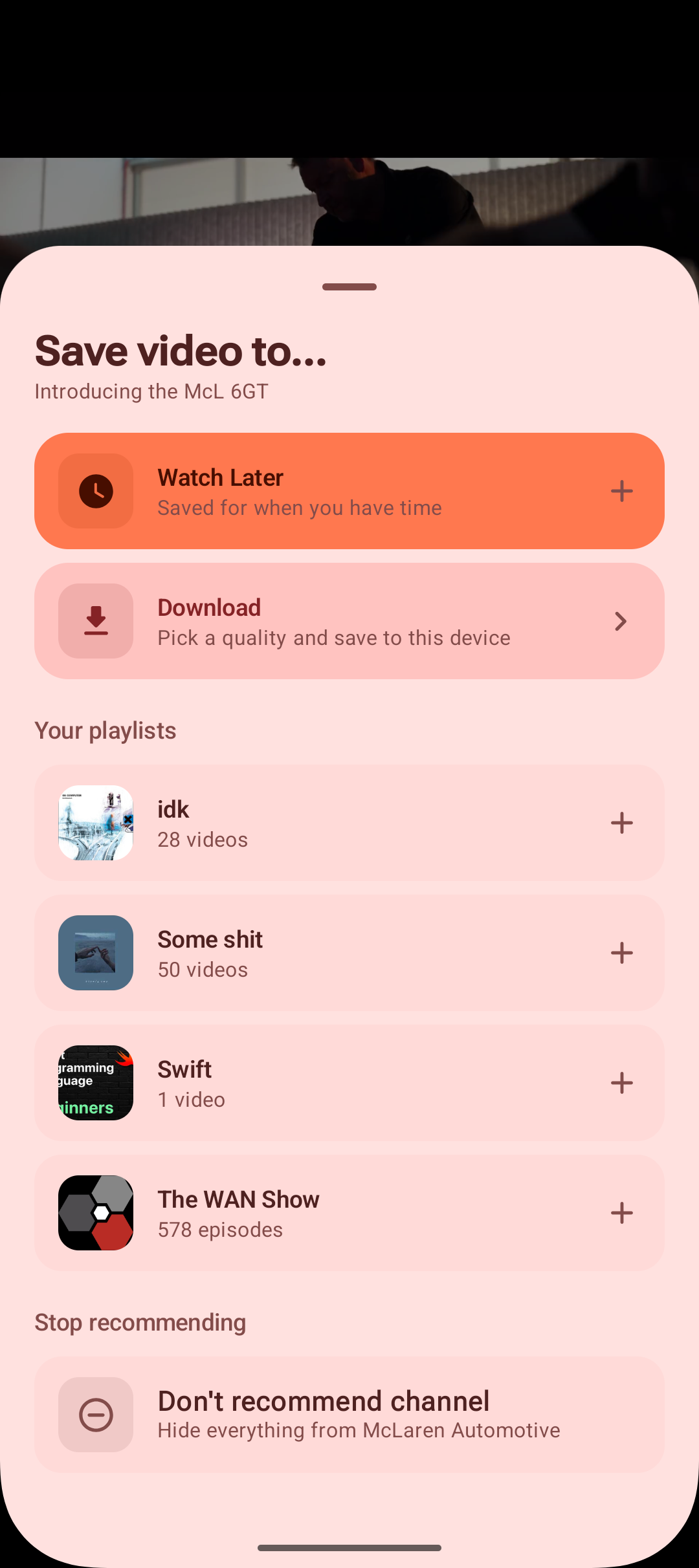
Hide a single video or stop a whole channel being suggested. It works signed out and takes effect immediately, every dismissal has one app-wide undo, and a Not recommended screen lists everything hidden so nothing is buried by a mis-tap. Signed in, the choice is sent to your account too.
Watch, youtu.be, shorts, live, embed and playlist URLs, plus channel links in every form — @handle, /channel/, /c/ and the legacy /user/. Music links open in the music player, everything else in the video one.
Device-local video playlists and a Watch Later that work signed out, playing as real queues rather than stopping after the selected video. The mini player sits above the navigation bar, drags up to expand and down to dismiss, and keeps a clip playing while you browse.
A short-form vertical feed shown only once you deliberately enable it, with prefetch for instant next-video playback and an action rail whose buttons you can individually hide.
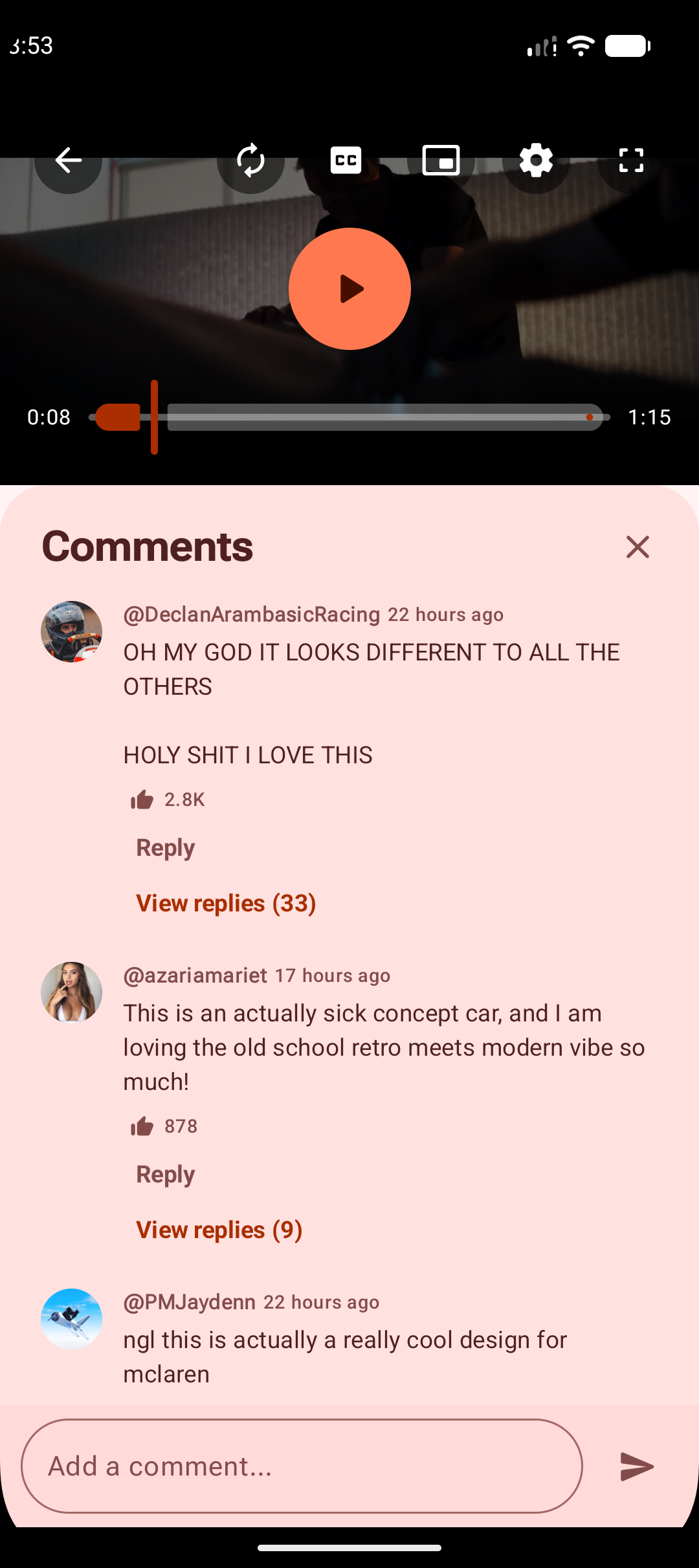
Read and write comments and replies from the player, like a comment, delete your own, and like, dislike or subscribe. Links and timestamps in descriptions and comments are tappable, and timestamps seek the player. Optional timed comments fade in as playback reaches the moment they mention.
Live streams
Super Chats and Super Stickers in their real colors, membership and gift events, pinned messages, channel emoji, and owner, moderator and member badges. Scroll back to read and it holds position instead of yanking you forward, with a pill counting what you missed.
Yours appears instantly. If the stream rejects it for slow mode, a word filter or a ban, you are told and your text is handed back rather than silently swallowed.
Every resolution lives in the same manifest, so changing it never re-buffers or drops the stream. One tap on the LIVE chip jumps back to the edge when you fall behind a DVR window.
A vertical broadcast fills the screen instead of sitting as a strip between black bars, with chat over a soft gradient at the bottom. Rotate to landscape and the video moves aside for a full-height chat column — the space next to a 9:16 video is exactly chat-shaped.
Playback engineWhere most of the work went
YouTube paces open-ended requests to roughly the bitrate of the media — measured at 32 KB/s on a stream that served 5–22 MB/s over the same connection when asked properly. Every fetch is ranged, which is what makes tap-to-play, seeking and downloads fast.
Two playback engines alternate tracks, so the next song genuinely begins before the current one has finished rather than the two being butted together. AutoMix reads the end of one track and the start of the next and picks a transition that fits, stretching it when that is safe; manual mode holds a fixed length, and it can be switched off. Loudness differences between streamed tracks are evened out on the way through, and shuffle, repeat, sleep timers, queue edits, Bluetooth and Android Auto all survive the handover between engines.
The head of the next three songs in the queue is cached ahead, so a skip does not pay a round trip before sound starts.
The identity token needed before any stream resolves is minted from a small endpoint and reused across restarts, so a warm start does no network at all.
Music and video both resolve through NewPipe's maintained YouTube clients. The older direct client — which could start a long track normally and then hit a progressive byte limit part-way through — remains only as a last-resort fallback, with client versions and user agents kept in step so nothing resolves with one client and fetches with another.
A media session drives the notification and lock screen with a live progress bar. On Android 16 an optional Live Update puts the current song in the status bar as a chip with time remaining.
Long-press for play next, add to queue, add to playlist, like and download. Drag to reorder with edge auto-scroll and haptics, swipe either way to remove with an undo that restores position, plus shuffle, repeat, crossfade, and auto-load when the queue runs low.
High-compatibility scanning and a battery-optimization opt-out, to keep background playback alive on devices that kill it.
Downloads
Video is stitched back together from YouTube's separate high-quality video and audio streams into a single MP4, rather than settling for the 360p that comes ready-made.
Music and video playlists both queue as a batch, video at one chosen quality for every item and every retry. Anything already downloaded, and anything already on the device, is skipped — so re-running an interrupted playlist fetches only what is missing — and live broadcasts are turned away before they reach the video path.
A downloaded song carries its title, artist, album, cover art and the best lyrics available, so it reads correctly in any other player, and a tagging failure no longer throws away an otherwise finished download. The estimated size is shown before you commit to a song or pick a video quality, and downloaded videos play inside Koda too — offline they appear straight on Video Home.
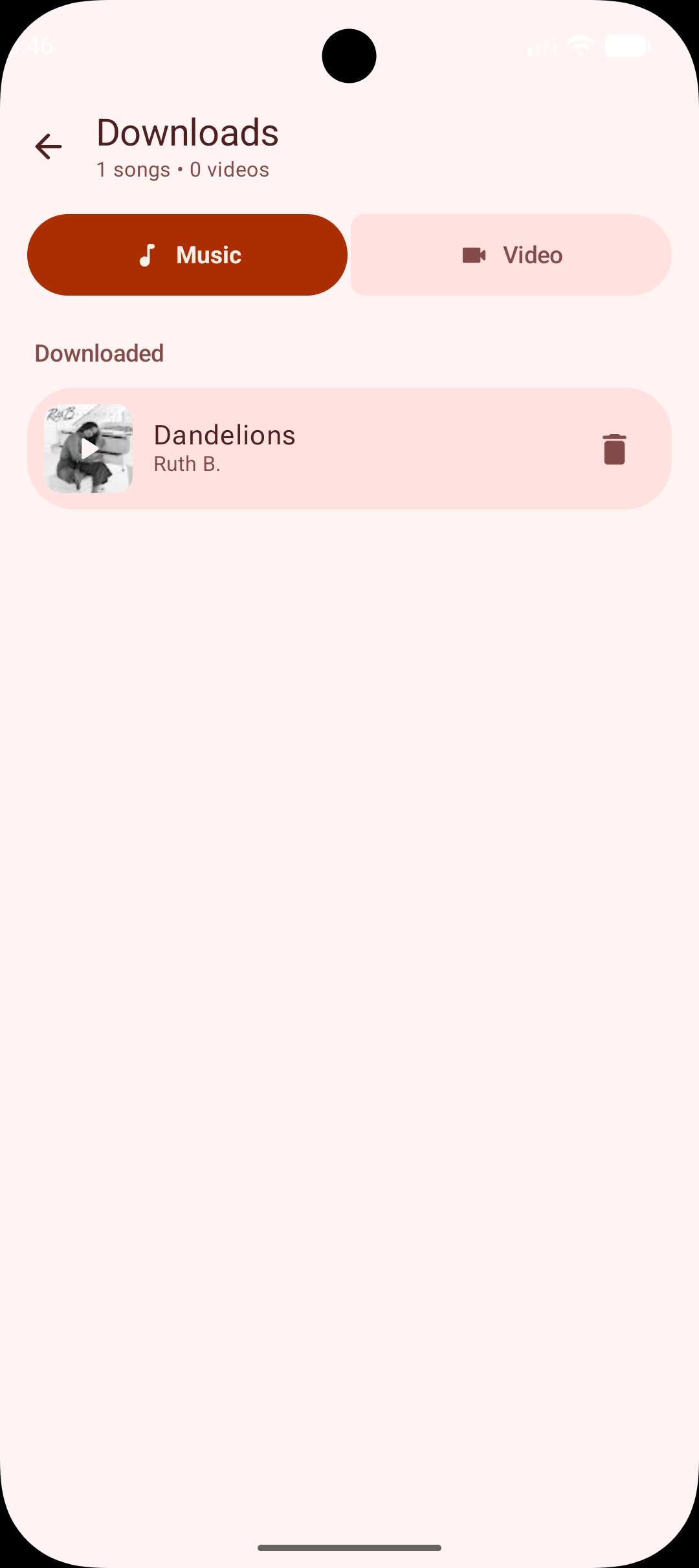
Saved to Downloads/Koda/Music and Downloads/Koda/Video, named after the track rather than the video id, visible in the Files app and playable in anything else on the device.
Separate Music and Video tabs with a live queue, progress, cancel, delete and one-tap retry. Downloads keep running when you navigate away, failures retry with a freshly resolved URL, and a partial download is never left behind as a broken file.
Collects the songs already cached in full, so the music Koda can play without another network request is easy to find.
InterfaceMaterial 3 Expressive throughout
The interface is the product rather than a wrapper around one: 47 source files use Expressive-only APIs directly, MaterialShapes is referenced 141 times across 14 shapes, and spring physics drives 120 animation specs. There is no alternate design language.
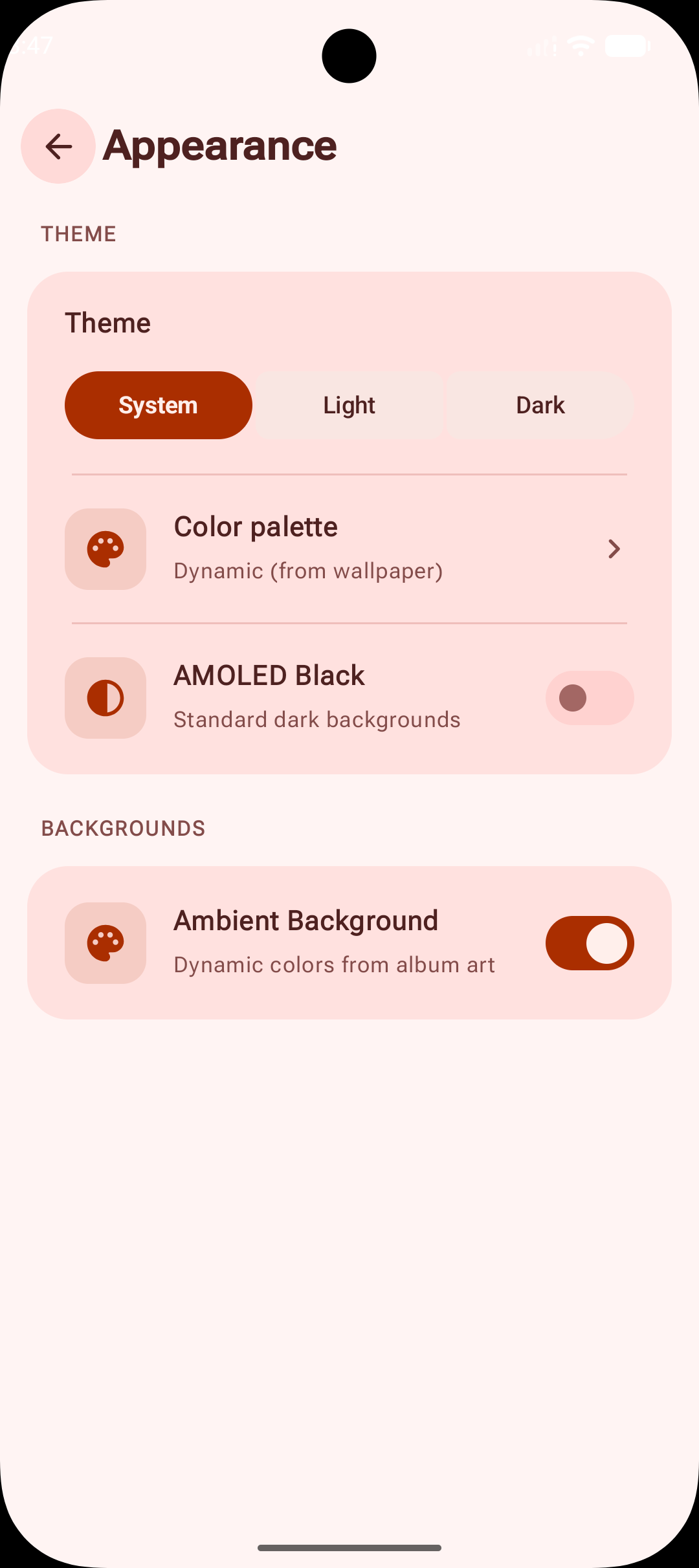
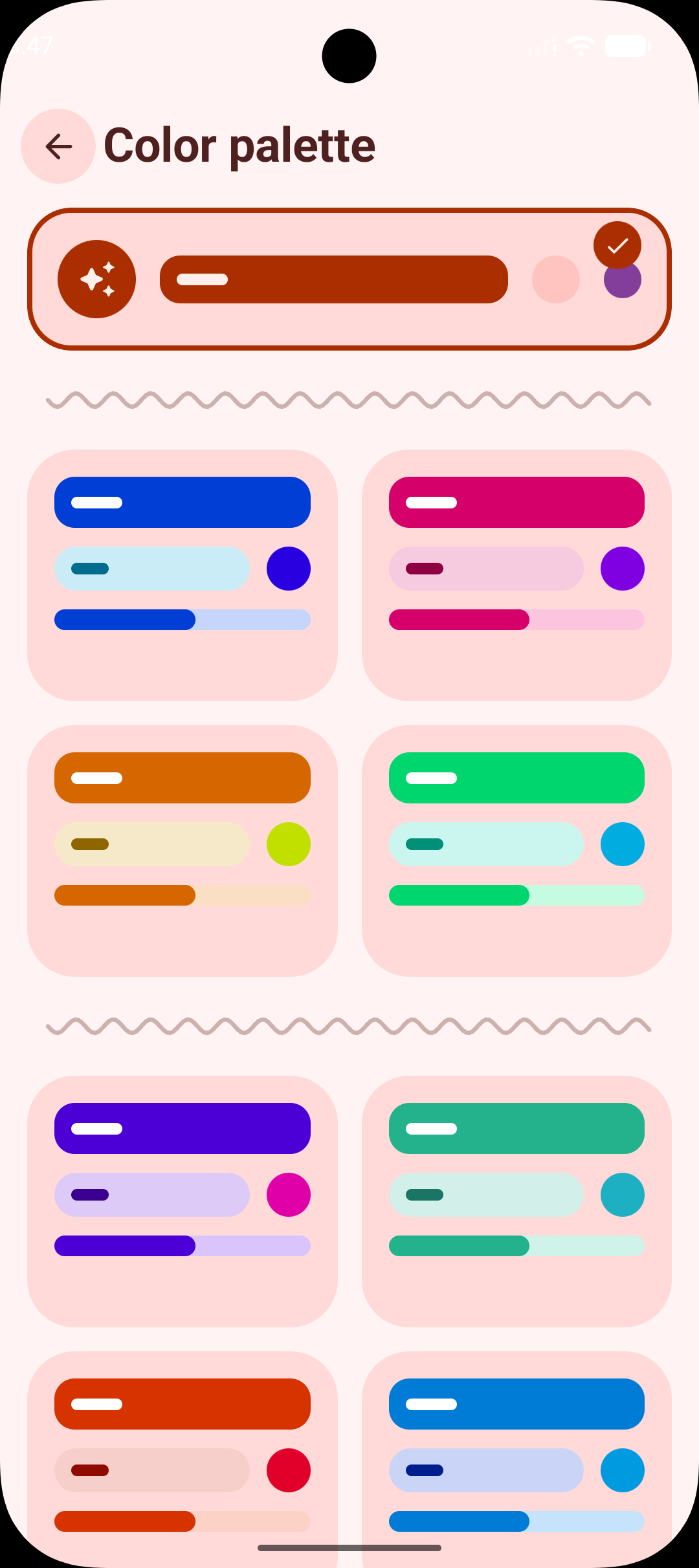
A palette pulled from your wallpaper on Android 12 and newer, or from the current album art. Twenty-nine curated palettes across six families — plain black and white included — light, dark and system themes, and an AMOLED true-black mode.
The classic Home leads with a hero and carousels. Spotlight opens instead with a grid of what you reach for most, then paged quick picks and artwork shelves. Pick one during onboarding or change it later.
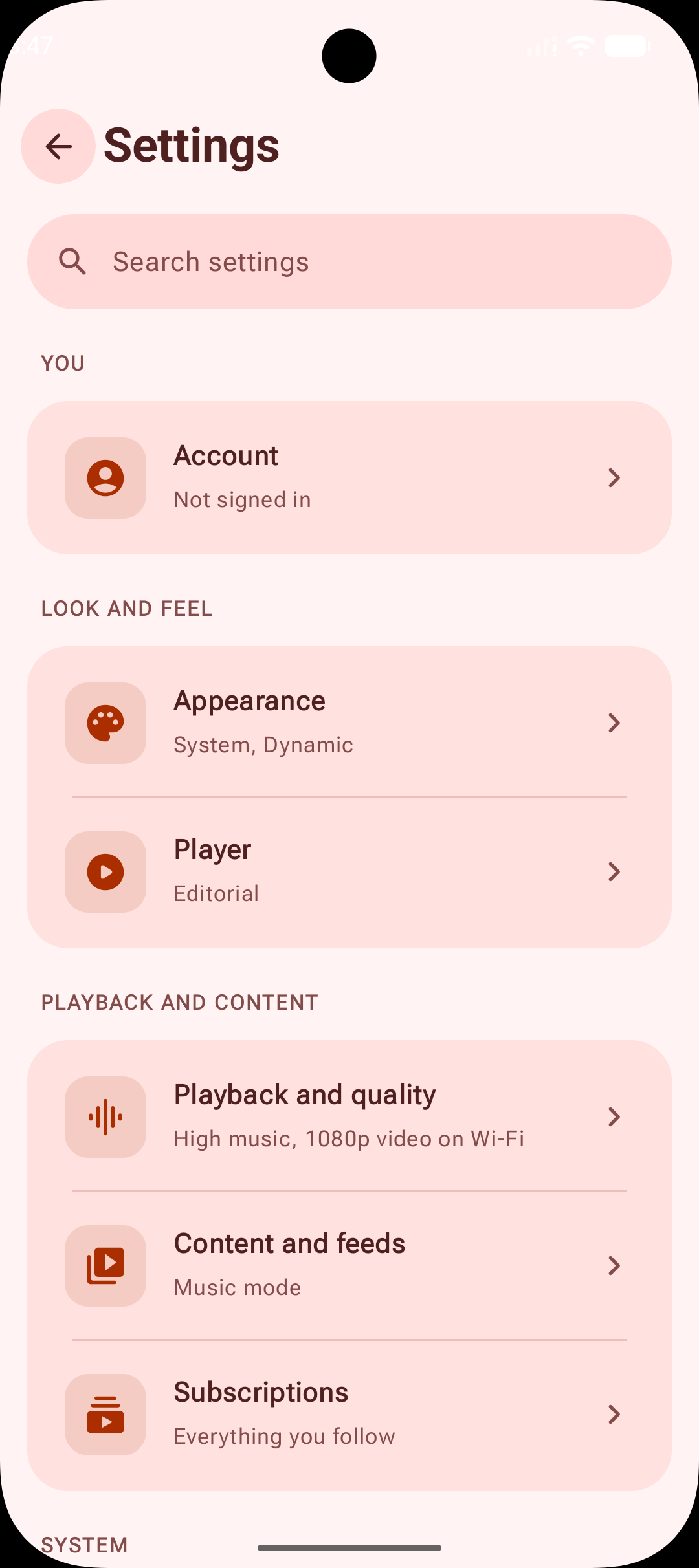
Eleven categories instead of one long scroll, each row showing the live value of what is inside it. The search index carries synonyms and tolerates typos, because people know what they want rather than what it is called — offline finds Local Only, songs not showing finds compatibility scanning, and amol and crossfde both land where you meant.
Separate Wi-Fi and mobile-data settings for video and for music, applied automatically from what you are connected to.
One file, written from Settings, carries music and video playlists and their artwork, liked and saved items, statistics, history, subscriptions, channel groups, hidden recommendations, profiles and settings. Restoring shows what the file holds and what it would replace before it touches anything. Sign-in credentials are deliberately left out, and so is downloaded media — that already lives in Downloads/Koda and survives an uninstall.
An optional allowance, set separately for each weekday. When the day's time is spent, playback stops and Koda holds a full-screen lock until the next day. Available during onboarding and from Settings → Advanced.
Settings → Advanced assembles a report from recent logs, crash details and an allowlisted summary of the device and settings. Every section can be read and dropped before it goes anywhere, and you hand the result to Telegram or GitHub yourself — nothing is transmitted on its own. After a crash Koda offers the saved details once on the next launch, and release builds keep readable source locations so the trace means something.
Watches GitHub Releases, picks the right APK for your device's ABI and installs it, so sideloading is a one-time step.
AccountsOptional
Search, streaming, downloads, local playlists, liked songs, subscriptions and recommendations all work without an account. Signing in adds personalized feeds, watch history, comments and engagement on top rather than unlocking the basics.
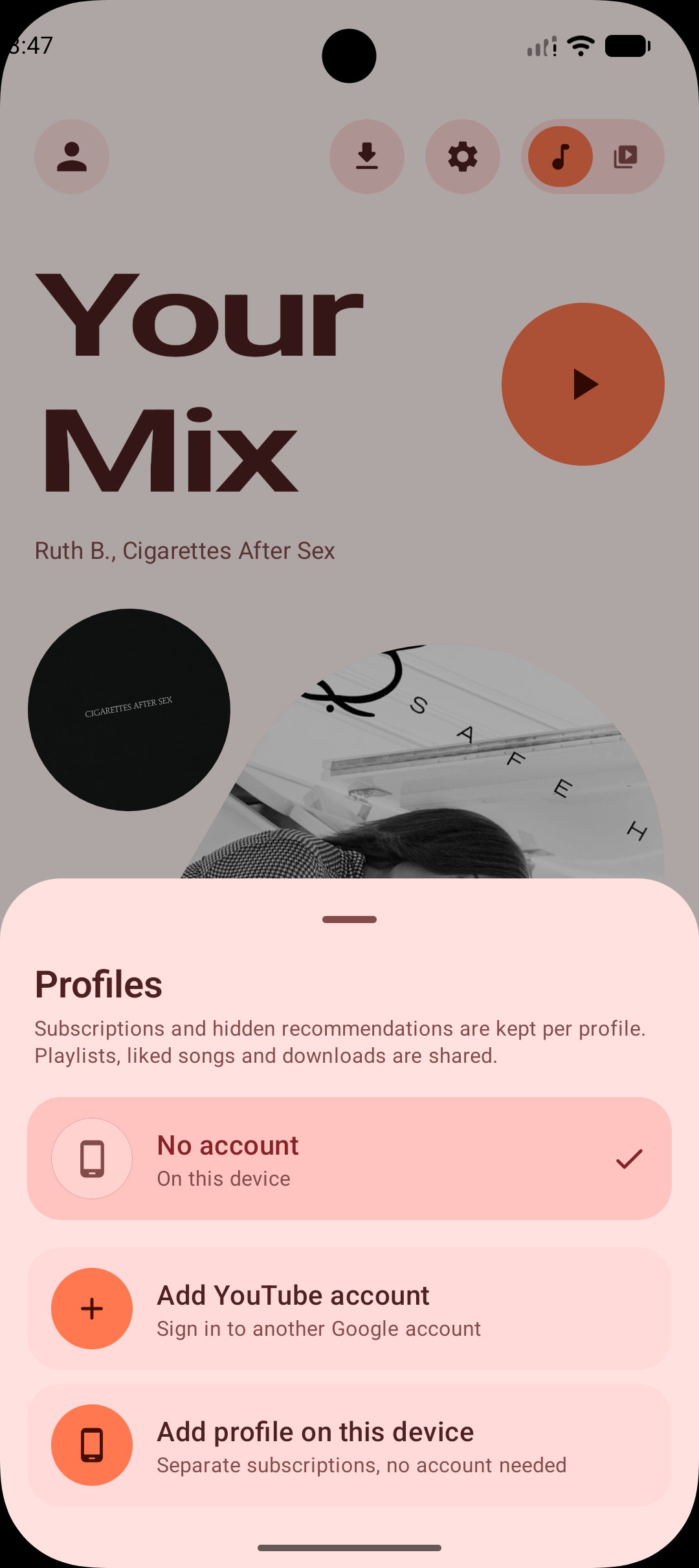
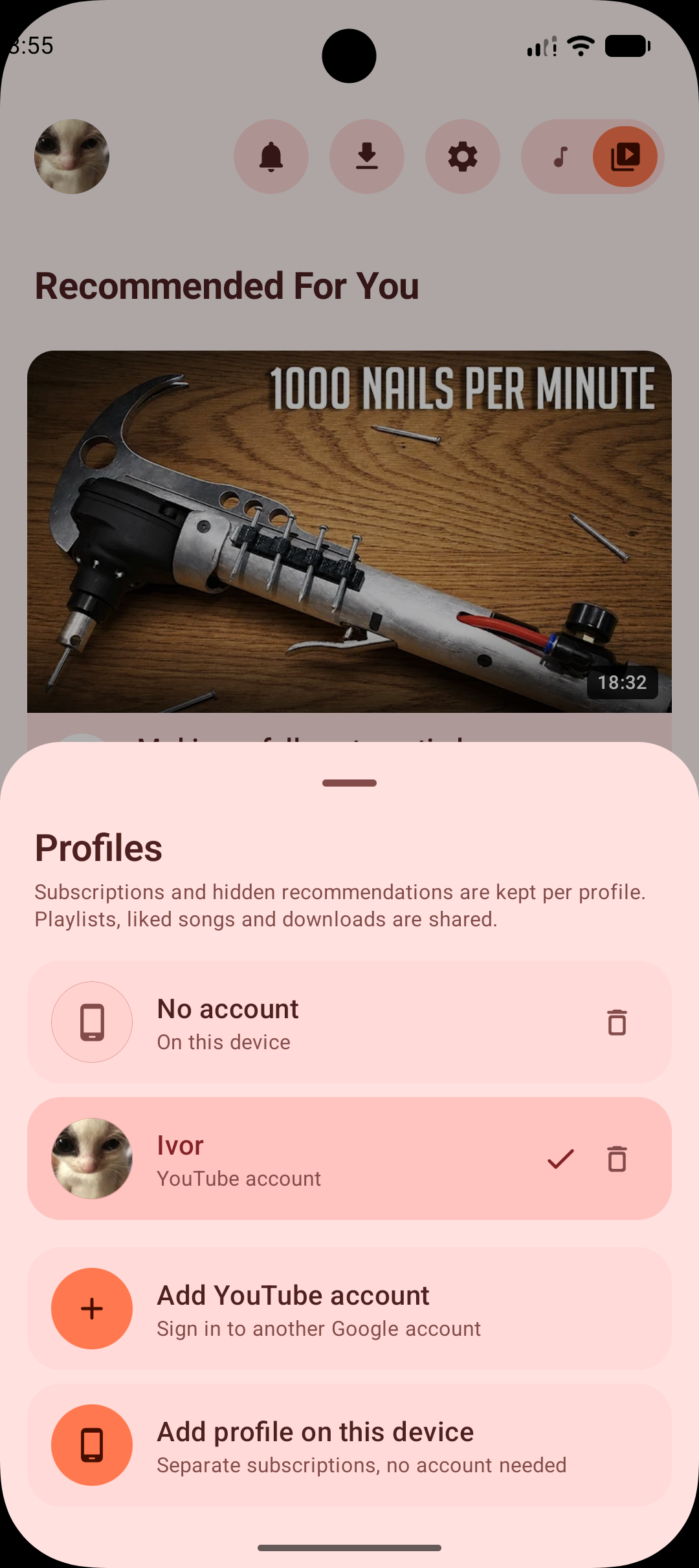
Switch between accounts from the home avatar instantly, with no network and no signing in again, since each session is stored encrypted on the device. A profile can also be device-only, keeping separate subscriptions and hidden recommendations with no Google account at all.
Everything account-derived resets — both feeds, subscriptions, and the player's like and subscribe state — but killing your music because you checked another account is a bad trade.
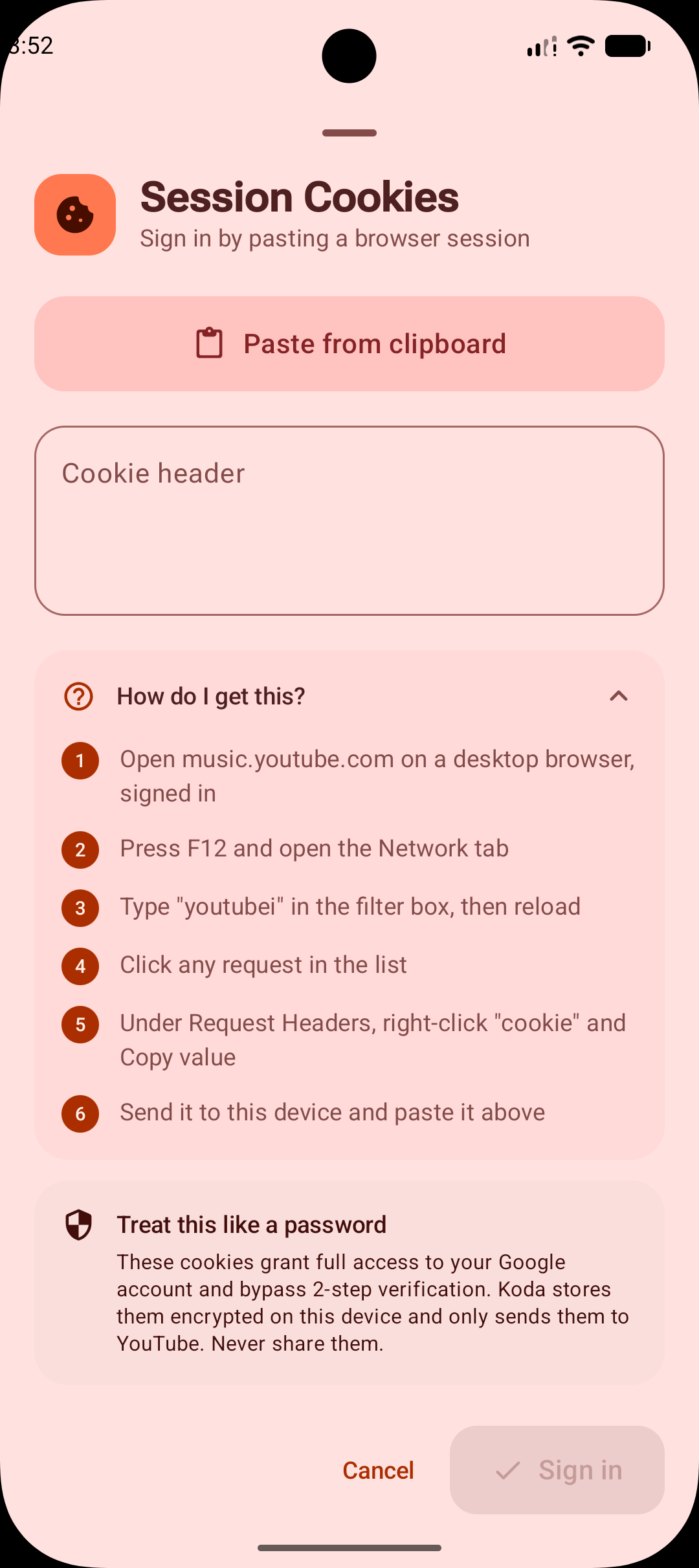
Sign in through an embedded WebView, so no password leaves the browser, or paste a session cookie from a desktop browser when that fails. Cookies are held in EncryptedSharedPreferences and signed per origin.
Built with
Downloadv5.1
Essentially every phone made since around 2017. Start here if you are not sure what your device is.
For 32-bit hardware that cannot run the ARM64 build.
Both of the above in one larger file. Works on any device, at the cost of size.