Koda for iPhone and Mac
YouTube Music and YouTube in one app, written in SwiftUI with Liquid Glass and without ads. Use it with no account at all, or sign in to bring your likes, playlists, subscriptions and history. The Apple sibling of Koda for Android — built for iPhone and Mac rather than ported to them.
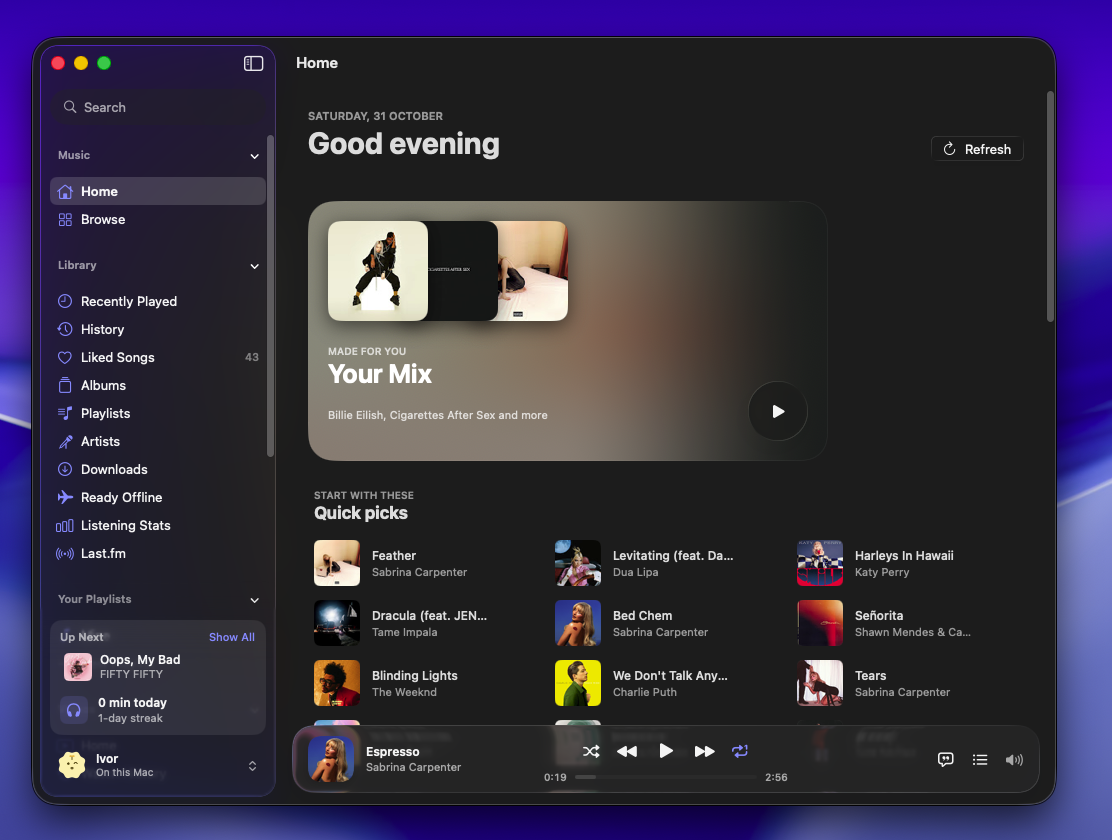
MusicWorks signed out
Your Mix is woven from radios of the artists you play most, alongside Jump back in, Quick picks, your top artists and a row of Charts. Signed in, Quick picks come from your own YouTube Music Home.
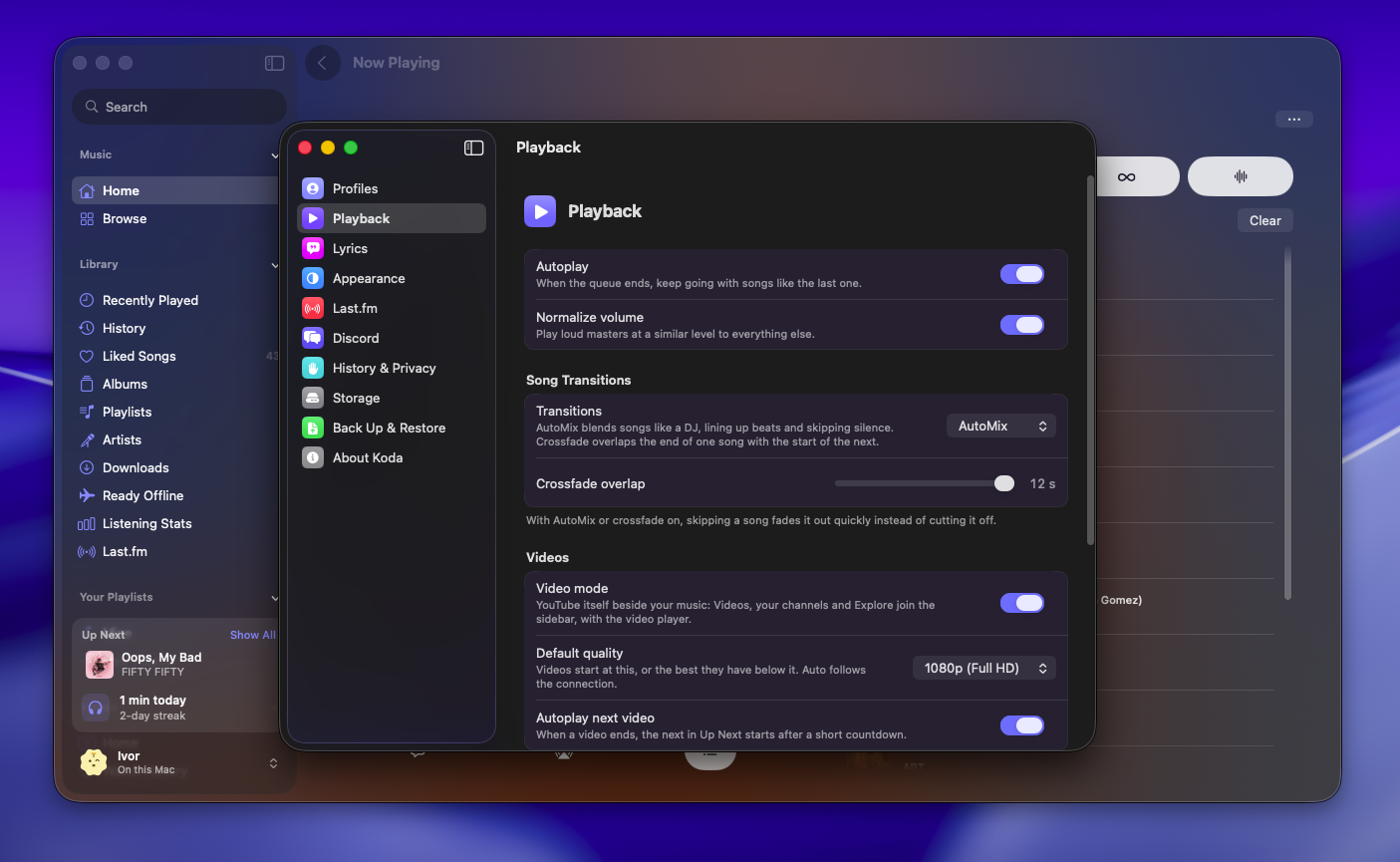
Gapless or crossfade, in the background, on the Lock Screen, in Control Center and over AirPlay. Volume normalization, a sleep timer, and swiping the mini player to skip.
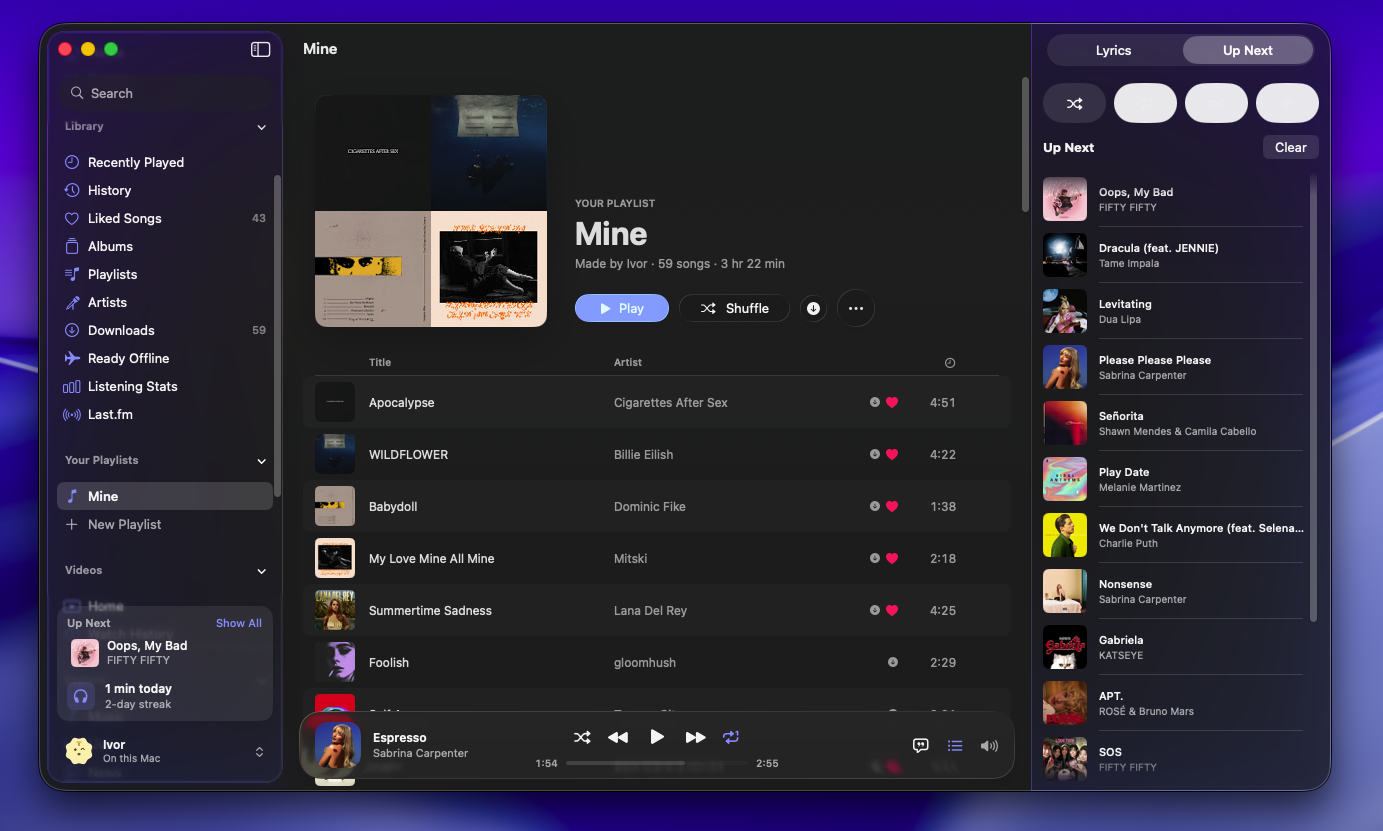
Shuffle, repeat and autoplay radio, with a queue you can drag, swipe and undo.
Search with suggestions and filters, or by voice, recognized on the device. Paste a YouTube or YouTube Music link to open it, browse moods and genres, and use koda:// links from Shortcuts.
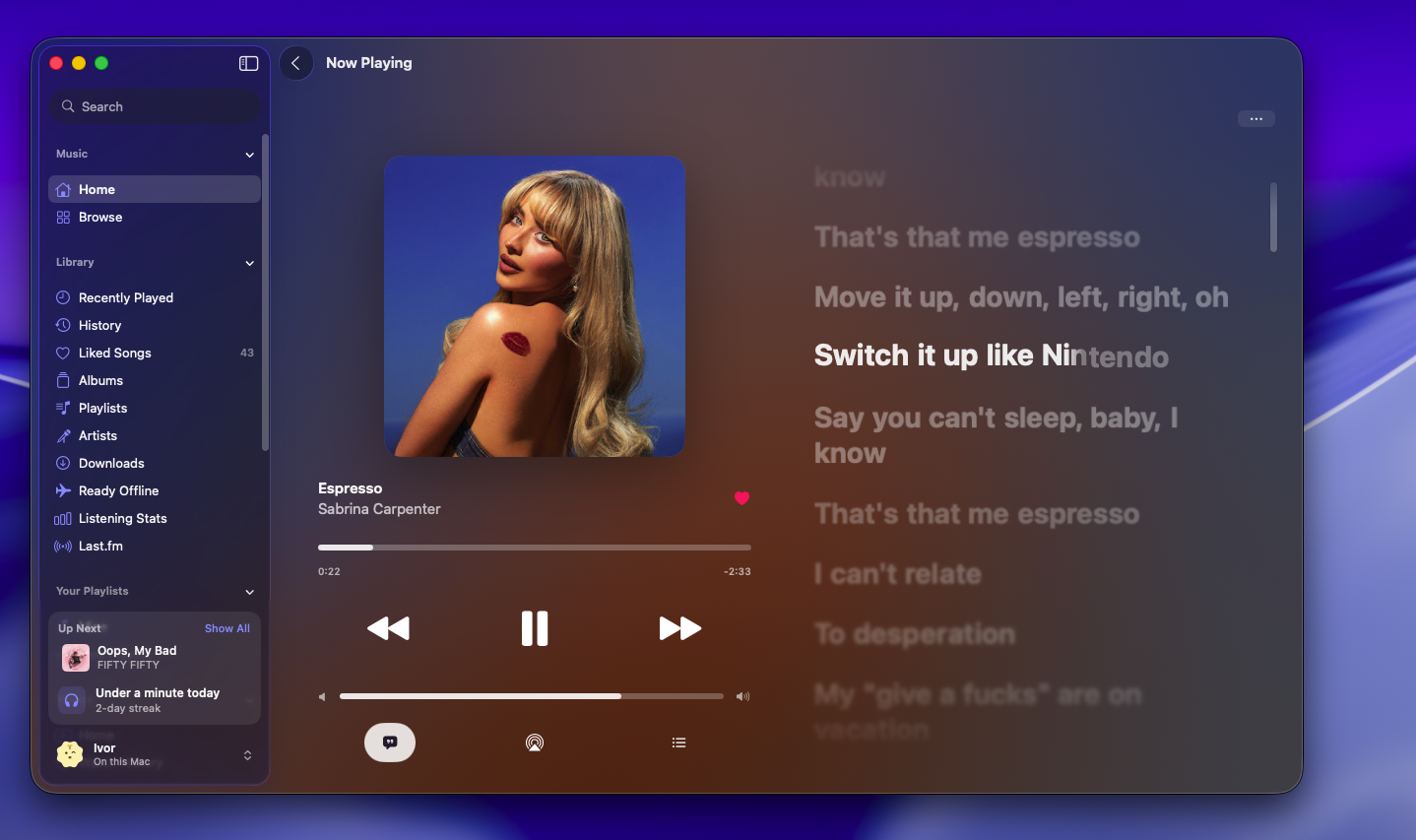
Lyrics
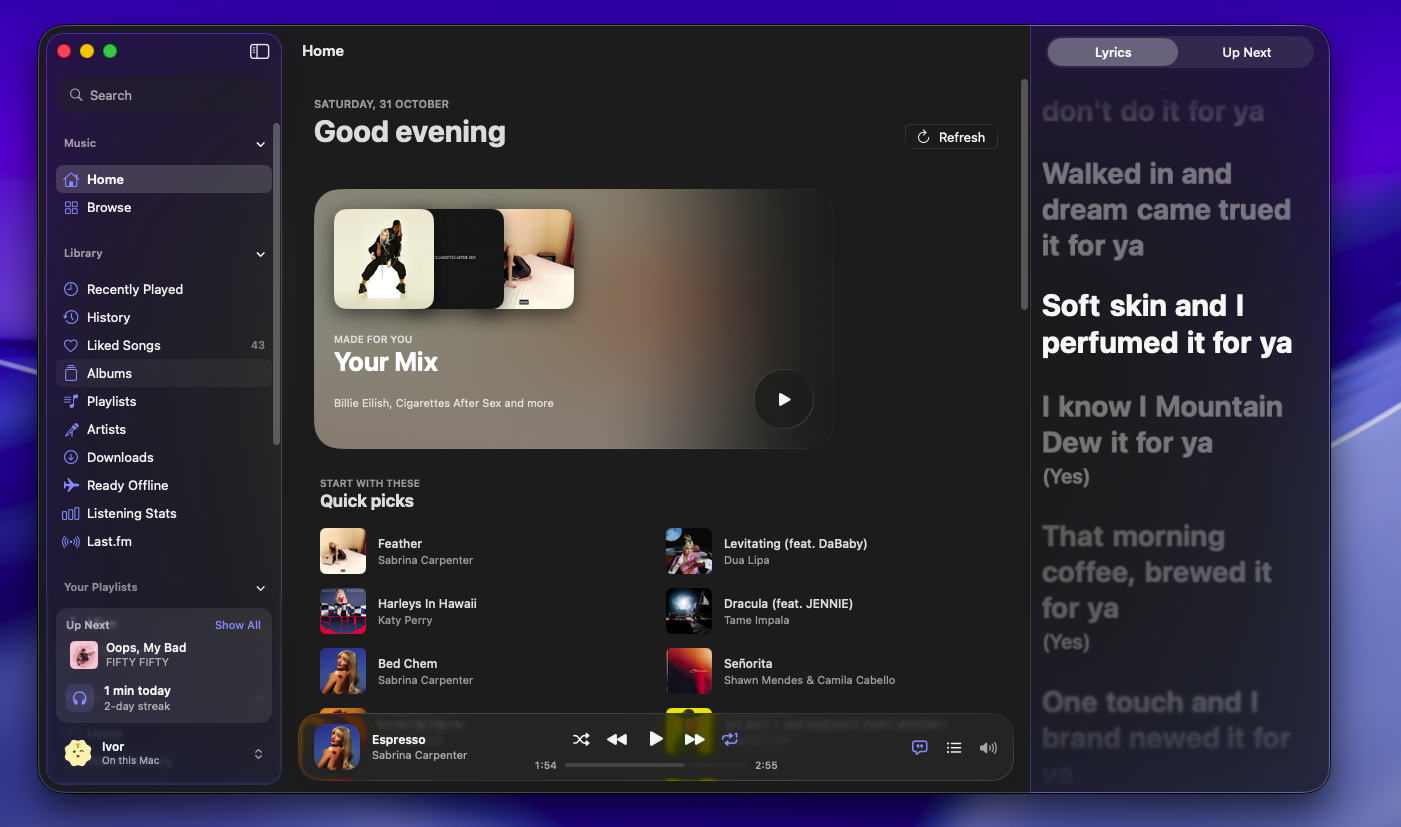
From YouLyPlus and BetterLyrics, line by line from LRCLIB, chosen automatically. Duets sit on their singer's side, backing vocals under their line, and long notes swell.
Tap a line to jump to it, or share up to six lines as a card.
VideoFull YouTube, in its own mode
Switch from the top of Home on the iPhone or the sidebar on the Mac. Each mode has its own tabs, and whatever is playing carries on.
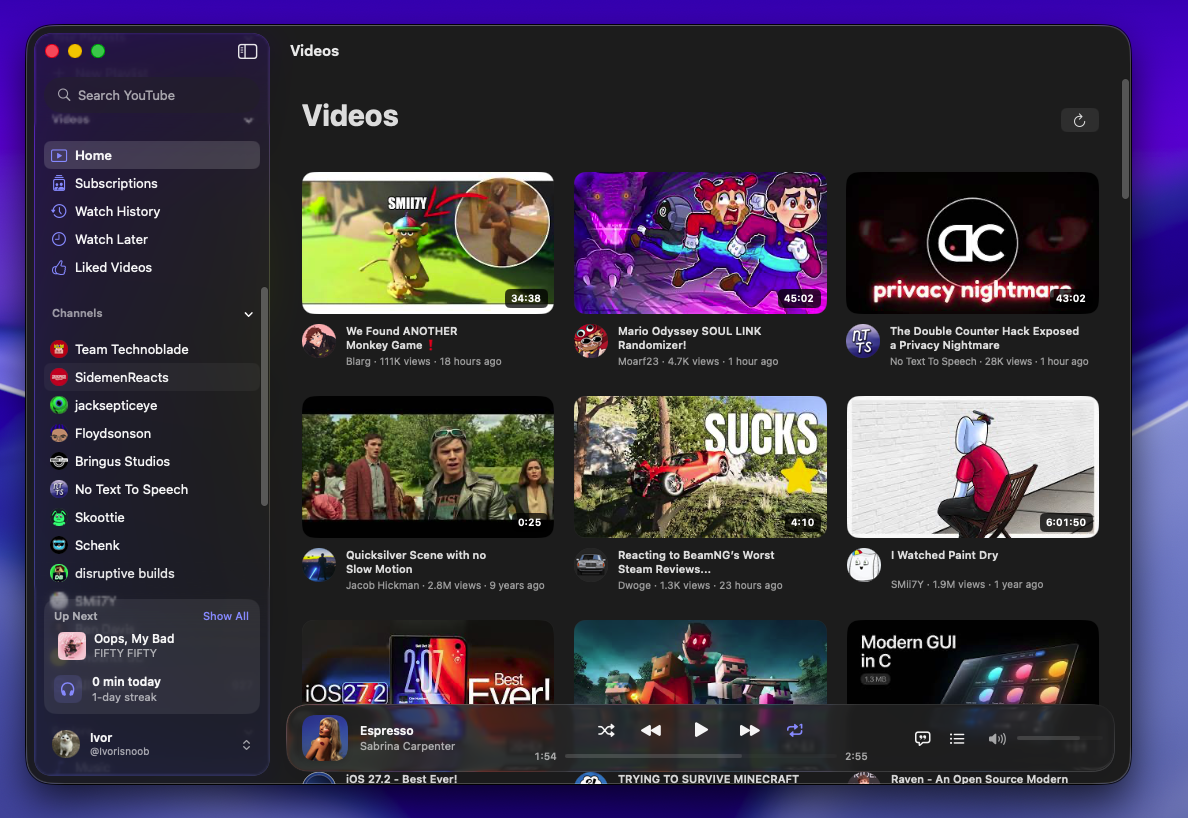
Home and Subscriptions feeds, search, and channels with their Videos and Live tabs sorted by latest, popular or oldest. Explore Music, Live, News, Sports and Learning, signed in or not.
Quality (1080p by default, or Auto up to 4K), speed, captions, AirPlay and picture in picture. Videos resume where you left off, with progress on every thumbnail, and the next one plays after a short countdown.
Double-tap a side to skip 10 seconds and keep tapping for more, hold for 2× and slide for other speeds, swipe up for full screen and down to leave it or shrink into the mini player, and pinch to fill the screen.
Watch Later and Liked Videos, the channels you follow, like and dislike with the count, subscribe, share and read the comments.
You, and everyone else
Sign in to sync liked songs, albums, playlists and artists both ways, and send what you play and watch to your YouTube history.
One for everyone who uses the device, each with its own library, history and account. A first-launch welcome sets up your taste from artists, genres and a deck of songs to keep or skip.
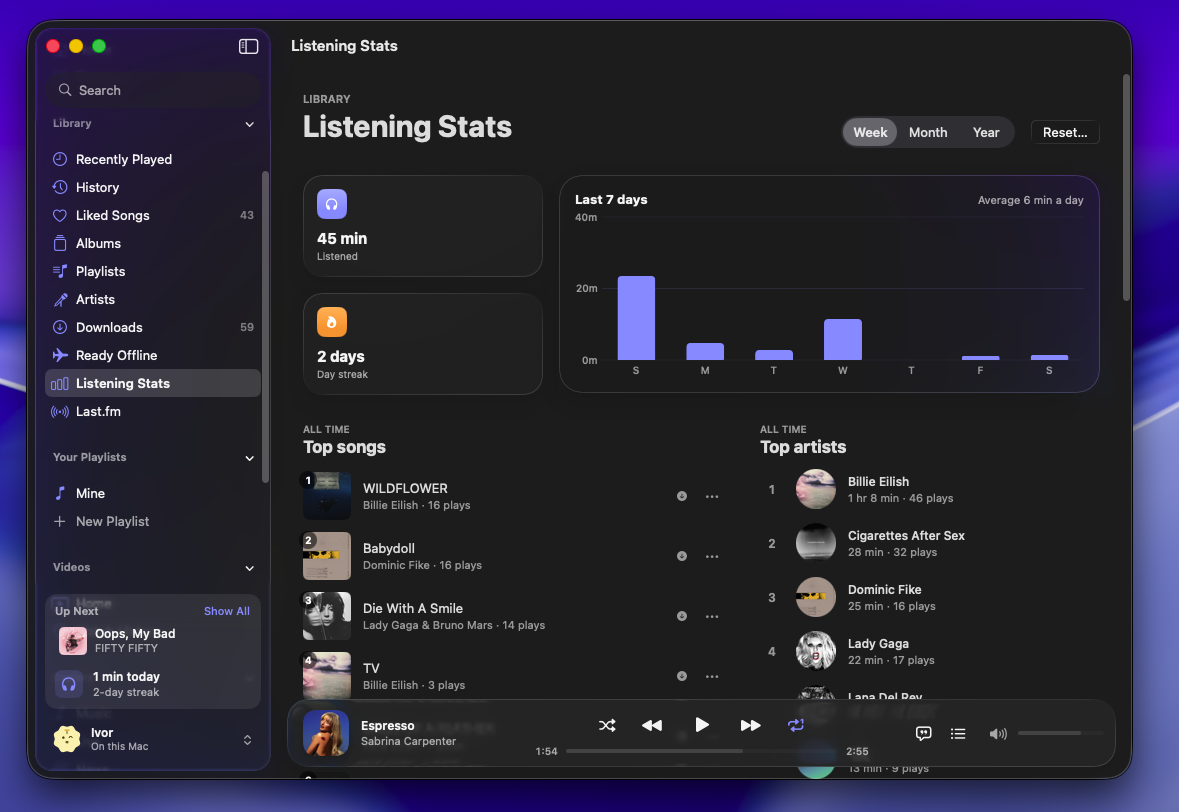
Songs kept on the device as you play them, listening stats with streaks and top artists, and a library backup that also imports from Koda for Android.
Ask Siri to play your liked songs, a playlist or anything you name, start a radio or like the song playing. Songs and playlists show up in Spotlight, with a Quick Play widget for the Home Screen, Lock Screen and Mac, and Control Center controls.
Scrobble with your own free Last.fm API account — Koda never asks for your password, and offline plays are sent later. On the Mac, show what you're listening to on Discord.
No analytics and no server of its own. What you play, save and search stays on the device unless you back it up or sign in, and the sign-in lives in the Keychain.
On the MacBuilt for it, not stretched
Music: Home, Browse, your library and playlists, with Up Next and today's listening at its foot. Video: Home, Subscriptions, History, Watch Later, Liked Videos, your channels and Explore.
Now Playing opens out of its cover, with lyrics or the queue beside it. Videos play in default or theater view, as on YouTube's site, or full screen with nothing but the picture.
Space, ⌘← and ⌘→ for songs, ⇧⌘L for lyrics, ⌘1 and ⌘2 for Home and Library; J, K, L, F, T and M on a video's page. Settings sits in a window of its own, laid out like System Settings.
Built with
Downloadv0.3
Not on the App Store, so you sign it with your own Apple ID through AltStore, SideStore or Sideloadly. A free Apple ID's signature lasts seven days; AltStore and SideStore renew it for you.
One app for Apple silicon and Intel. Drag it into Applications, then allow it once under System Settings → Privacy & Security, since it isn't notarized.